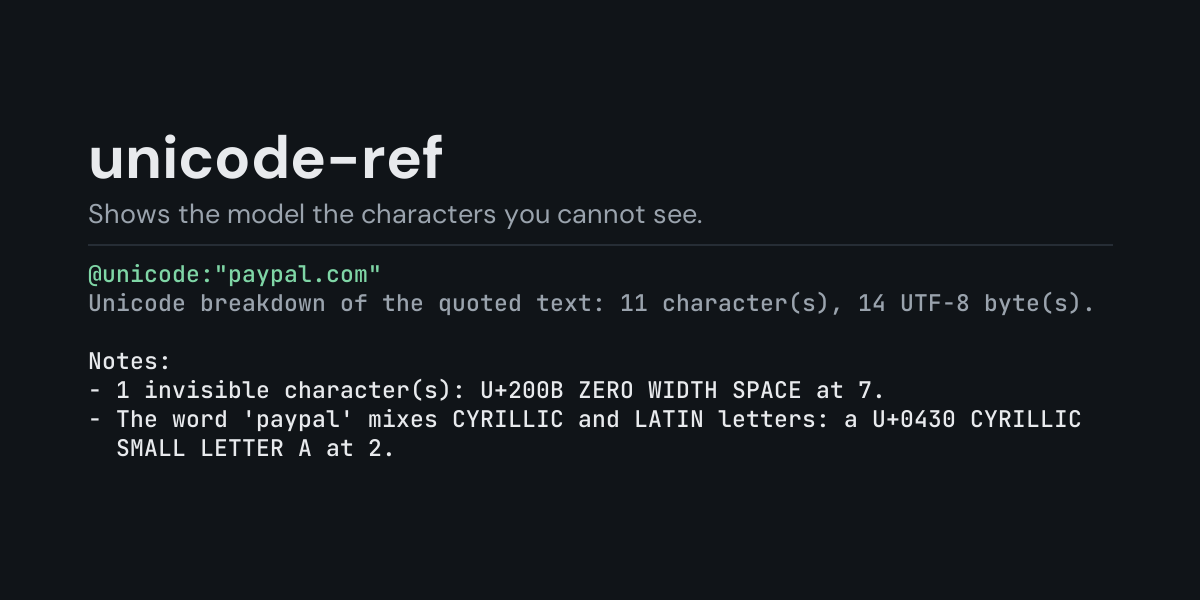
unicode-ref
@unicode: references for Hermes: put @unicode:"some text" in a message and Hermes replaces it
with a character-by-character breakdown of the quoted text (code point, Unicode name, category)
and notes on everything that does not show on screen: invisible characters, text-direction
controls, unusual spaces, Unicode tag characters and words that mix lookalike letters from
different scripts. @unicode:U+200B describes one code point.
Text you paste from a web page, a PDF or a chat can carry characters you cannot see: a
zero-width space that breaks a search or a variable name, a right-to-left override that shows
characters in a different order than they are stored, a Cyrillic letter that looks like a Latin "a" inside a domain name,
or tag characters that spell out text nobody sees. A model reads text as tokens and cannot
reliably tell these apart either. With @unicode: it gets them spelled out, so it can say
exactly what is in the string.
Install
hermes plugins install unicode-ref --enable
Requires Hermes 0.21.5 or newer. No API key, no configuration, no dependencies.
Use
@unicode:"text to look at"     every character of the quoted text, plus notes
@unicode:U+202E                one code point: name, category, UTF-8 bytes, decomposition
@unicode:U+200B,U+00A0         up to 20 code points at once
Quote the text with ", ' or a backtick (whichever it does not contain itself). Hermes reads a
reference up to the end of the line, so the text must be on one line.
Example, from the end-to-end test (a one-shot hermes chat turn): the message
What is odd here? @unicode:"paypal paypal ok", typed with a zero-width space after the first
pa, a Cyrillic р (U+0440, which looks like p) starting the second word and a no-break
space before ok, reaches the model as the message followed by:
Unicode breakdown of the quoted text: 17 character(s), 21 UTF-8 byte(s).

 #  char  code    name                      cat
 1  p     U+0070  LATIN SMALL LETTER P      Ll
 2  a     U+0061  LATIN SMALL LETTER A      Ll
 3        U+200B  ZERO WIDTH SPACE          Cf   invisible
 4  y     U+0079  LATIN SMALL LETTER Y      Ll
 5  p     U+0070  LATIN SMALL LETTER P      Ll
 6  a     U+0061  LATIN SMALL LETTER A      Ll
 7  l     U+006C  LATIN SMALL LETTER L      Ll
 8        U+0020  SPACE                     Zs
 9  р     U+0440  CYRILLIC SMALL LETTER ER  Ll
10  a     U+0061  LATIN SMALL LETTER A      Ll
11  y     U+0079  LATIN SMALL LETTER Y      Ll
12  p     U+0070  LATIN SMALL LETTER P      Ll
13  a     U+0061  LATIN SMALL LETTER A      Ll
14  l     U+006C  LATIN SMALL LETTER L      Ll
15        U+00A0  NO-BREAK SPACE            Zs
16  o     U+006F  LATIN SMALL LETTER O      Ll
17  k     U+006B  LATIN SMALL LETTER K      Ll

Notes:
- 1 invisible character(s): U+200B ZERO WIDTH SPACE at 3.
- Spaces other than the ordinary one: U+00A0 NO-BREAK SPACE at 15.
- The word 'рaypal' mixes CYRILLIC and LATIN letters: р U+0440 CYRILLIC SMALL LETTER ER at 9.
- char is the character itself, left empty for the ones that draw nothing on their own
(invisible characters, spaces, combining marks). cat is the Unicode general category (
Lllowercase letter,Zsspace,Cfformat, ...). - The notes cover the whole text: invisible characters with their positions, text-direction
controls (
U+202A..U+202E,U+2066..U+2069,U+200E,U+200F,U+061C), spaces other thanU+0020, Unicode tag characters (decoded, since they can hide ASCII text), words that mix Latin letters with Cyrillic, Greek, Armenian, Cherokee, Coptic, fullwidth or mathematical ones, and private-use or unassigned code points. Zero-width joiners and variation selectors inside emoji are flagged too, with a note that they are expected there. - Long text: the first 200 characters are listed one per line, the notes cover the first 10,000.
@unicode:U+202E,U+00A0 (same run):
U+202E  RIGHT-TO-LEFT OVERRIDE
  category Cf (format), invisible, changes text direction
  UTF-8 E2 80 AE

U+00A0  NO-BREAK SPACE
  category Zs (space)
  UTF-8 C2 A0
  decomposes to: <noBreak> 0020
Suggestions
In the TUI and the desktop app, typing @unicode: followed by the start of a character's name
suggests matching characters (@unicode:zero offers U+200B ZERO WIDTH SPACE, U+200D ZERO WIDTH JOINER, ...), and choosing one inserts @unicode:U+200B. Each word you type must start a
word of the name. The classic CLI does not show reference suggestions. The name list is built
the first time you ask for one (well under a second).
Security and footprint
register()only registers one context reference provider (@unicode:).- It reads nothing but the text of the reference itself, and only when you write
@unicode:in a message. Python'sunicodedatasupplies the names; nothing is looked up anywhere else. - No network access, no subprocesses, no downloads, no credentials read, no files read or written.
- Standard library only.
Development
python -m pytest tests                                            # unit tests, no Hermes needed
PYTHONPATH=<hermes checkout> python tests/e2e/unicode_ref_e2e.py   # real hermes chat turns and TUI suggestions
hermes plugins validate unicode-ref
Changes
- 1.0.0: first release.
MIT licensed.