All plugins

whoami

Coloured pill in the composer showing which Hermes profile a new session will use.

atostivintDesktopv0.1.0Updated 6 days ago

Whoami

A Hermes Desktop plugin that shows which Hermes profile the composer will create a new session on.

What it does

Whoami adds one surface: a coloured pill to the composer toolbar, next to the model pill, with the name of the active profile. The pill reads the live profile state, so the profile a new session will use is visible at a glance. When the app is in the all-profiles scope there is no active profile, and the pill shows a grey no profile instead.

Screenshots

The pill takes the identity colour Hermes Desktop already gives the profile, so it matches the sidebar rail.
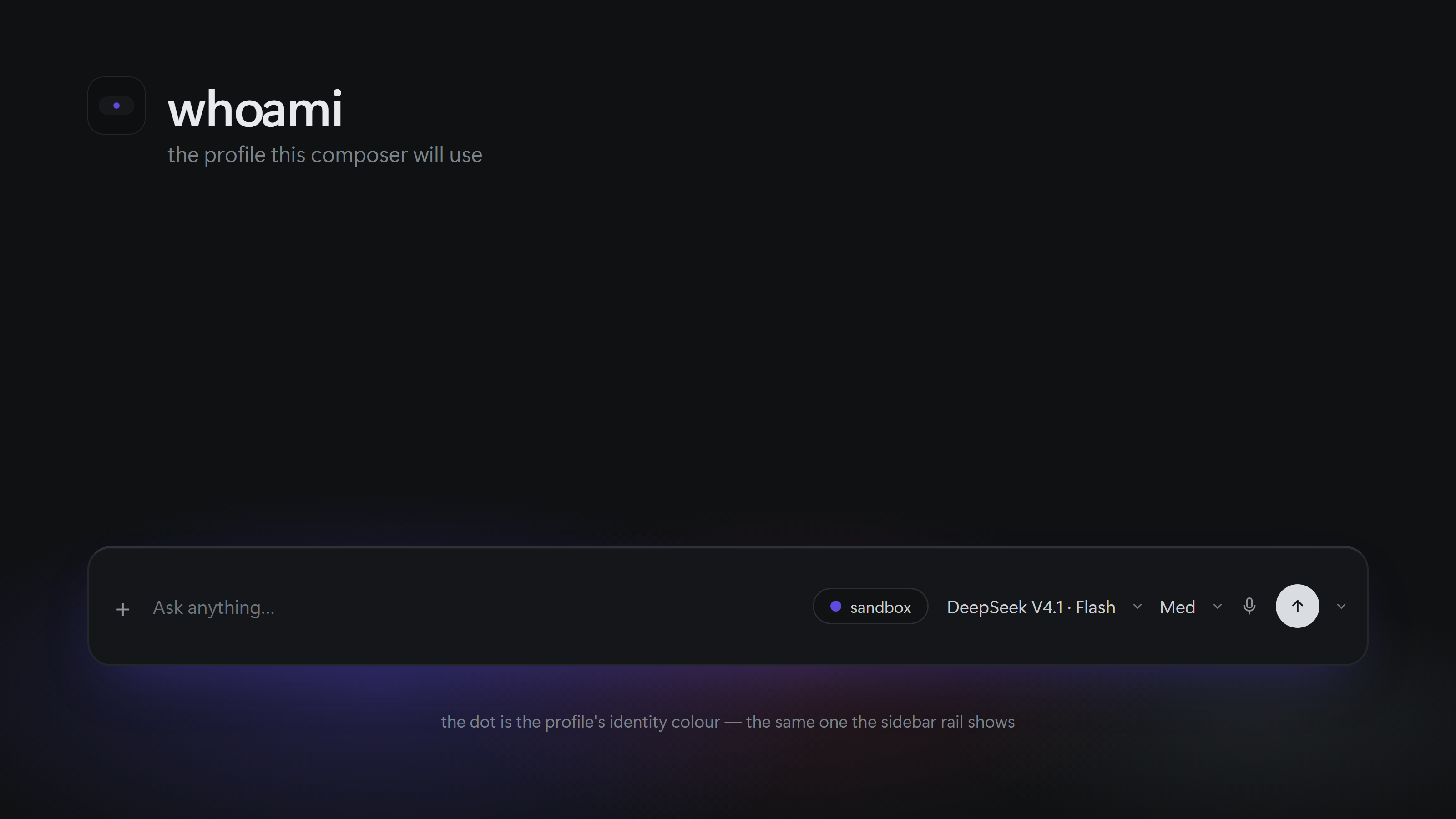

The Hermes Desktop composer, with the whoami pill showing the sandbox profile and its indigo dot next to the model pill

Composer pill showing the sandbox profile

Composer pill showing the astro profile

Composer pill showing the default profile

Why

Hermes Desktop does not label the profile you are drafting in. With several profiles configured it is easy to start a session in the wrong one and only notice later. Whoami makes the target profile explicit before you send anything.

Install

A catalog install puts the desktop half in <hermes home>/desktop-plugins/whoami/, with plugin.js at the root of that folder. The plugin folder name must be whoami.

In this repository the plugin entry lives under desktop/, so a manual install copies the contents of desktop/ into the plugin folder — the loader reads <plugins folder>/whoami/plugin.js, not a desktop/ subfolder:

git clone https://github.com/atostivint/hermes-whoami.git
cd hermes-whoami
mkdir -p "$HERMES_HOME/desktop-plugins/whoami"
cp -R desktop/. "$HERMES_HOME/desktop-plugins/whoami/"

On Windows, from the clone, with the default home (%USERPROFILE%\.hermes\desktop-plugins\whoami\):

New-Item -ItemType Directory -Force "$env:USERPROFILE\.hermes\desktop-plugins\whoami" | Out-Null
Copy-Item "desktop\*" "$env:USERPROFILE\.hermes\desktop-plugins\whoami\" -Recurse -Force

Then open the command palette (Command-K, or Ctrl+K on Windows) and run
Reload desktop plugins.

$HERMES_HOME is usually ~/.hermes. On a Linux server it is normally /var/lib/hermes-agent/.hermes. If you are unsure, open Settings -> Plugins, which shows the exact folder Hermes reads plugins from.

Colours

The pill takes the profile's identity colour from Hermes Desktop, the same colour the sidebar rail derives from the profile name, so the two agree. There is no settings pane and nothing to configure: the plugin ships no colour UI.

The colour is resolved in this order, first hit wins — the built-in palette is the last resort:

  1. accent mode, which paints the pill dot with var(--ui-accent) for every profile.
  2. A preset or hex stored for that profile in whoami.prefs.
  3. The identity colour Hermes Desktop derives from the profile name, through the SDK's
    profileColor().
  4. The built-in eight-colour palette, used when the host build exports no profileColor.

A colour picked in the rail's own override is not mirrored: the SDK exposes no resolver for that
override, so the pill keeps the derived identity colour. Adding that resolver is upstream work.

Steps 1 and 2 stay honoured when an older install left a whoami.prefs behind — { "mode": "profile", "colors": { "work": "cyan" } }, in the plugin storage namespace. Nothing in the current version writes that key, so a fresh install always shows the identity colour.

The root profile default gets no colour from the client — it renders that profile untagged — so it
shows the neutral mono dot.

Limitations

  • Read-only by design. The SDK exposes host.state.profile but no profile-switch verb, so Whoami reports the scope and never changes it.
  • Requires Hermes Desktop 0.21.5 or newer for the composer.actions area the pill is mounted in.
  • If the pill shows a stale profile after a switch, open an issue with the values of host.state.profile.

Development

Run npm run check to parse desktop/plugin.js without executing it. Run npm run smoke to exercise registration, rendering and colour logic offline with plain Node, no Hermes install and no React required. CI (.github/workflows/smoke.yml) runs both on every push and pull request.

Uninstall

Delete the whoami folder from $HERMES_HOME/desktop-plugins/ and reload desktop plugins.

License

MIT

README from the reviewed commit 0b70c85; it updates when the author re-pins.
More by atostivint

4 plugins by atostivint in the catalog.

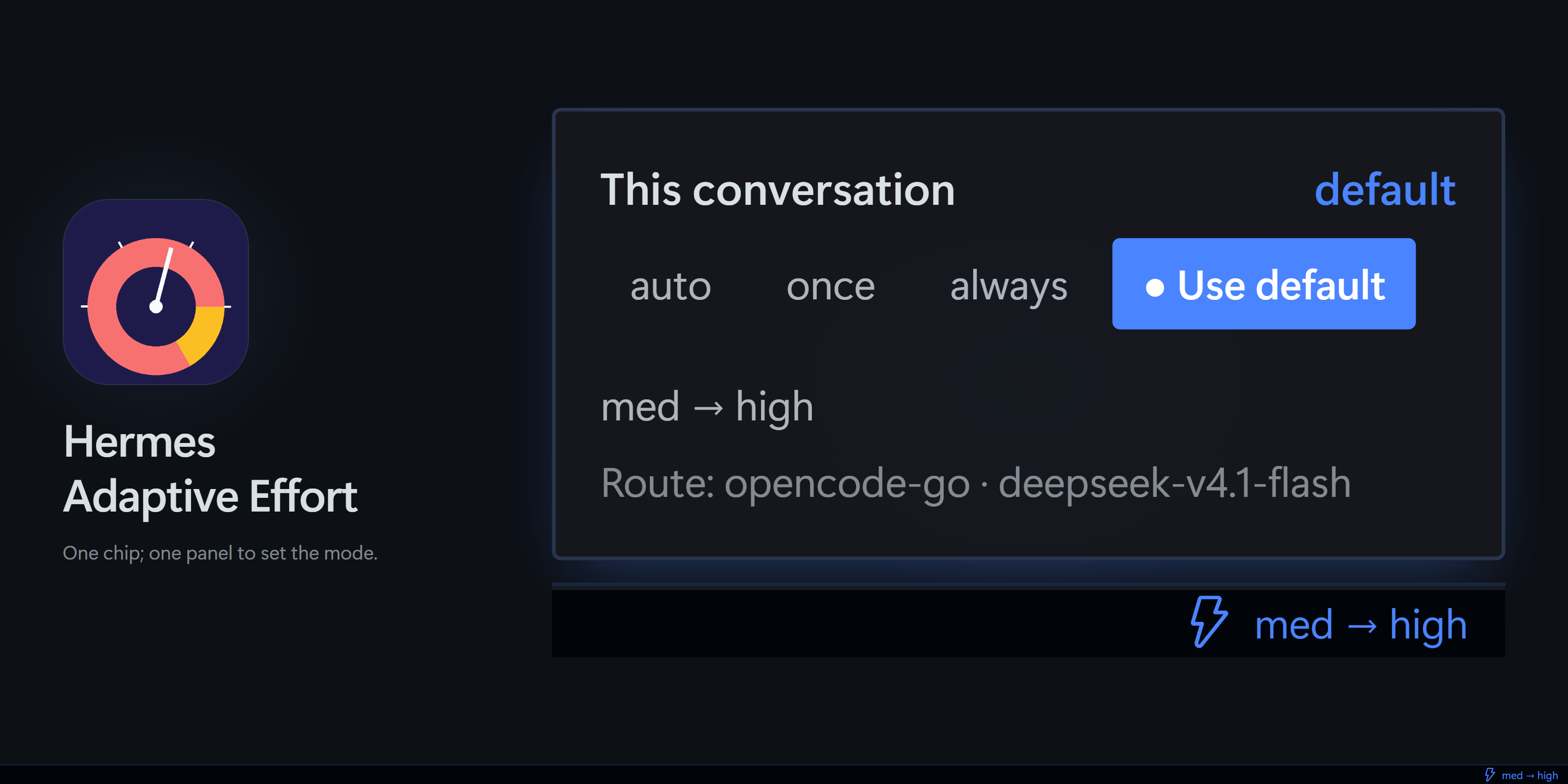
atostivinthermes-adaptive-effortChoose a separate scorer to set the reasoning effort of each Hermes request. Disclosure — off by default; when a mode is enabled (or on an explicit /hae probe), sends the latest user message (or the parent-written subagent goal), truncated to 4000 characters, plus any configured guidance to the scorer you select (TypeSafe Jev at api.typesafe.ai by default, or OpenAI Decisions, OpenRouter, Cloudflare Workers AI, Nace at console.nace.ai, a seventh scorer — a local Ollama endpoint that needs no key — or a custom URL) using that service's key, or with no key at all for Ollama (local only) and for an unauthenticated custom endpoint; by default an enabled mode also sends up to 4 earlier user/assistant text messages (1200 characters each, up to 6 when configured; never on subagents or /hae probe) and a separate yes/no continuation question to the same scorer on each turn (set dialogue_context_messages or continuation_downgrade_votes to 0 to stop this), and an opt-in setting can also send the target model identity. The prompt stays on this machine only when the Ollama endpoint is local: this plugin cannot vouch for a remote address an operator types. Named effort vocabularies cover the fifteen exact openai-codex codex_responses ids, the exact commandcode deepseek/deepseek-v4.1-flash route and the OpenCode Go chat_completions routes, including five newly measured ids (hy4-flash-free, qwen4-max, kimi-k2.7-code, longcat-2.0, iceman-contributor-free); allow_none is opt-in and changes nothing today (no dynamic route's ladder declares none). adaptive_effort_routes is an operator opt-in that trades the prefix cache for per-turn effort on a chosen registered route. /hae cache reports seven-day per-route counters of effort-attributable cache loss; that store keeps no prompt text, session ids or request ids. /hae output is localized in French, German and Spanish on the Hermes core surface with an English fallback; the Desktop surface stays English. In Hermes Desktop it also sets the focused chat's session reasoning selector through the gateway config.set API after each applied change, and it keeps a prompt-free effort-change history (64 changes × 64 conversations), per-conversation mode overrides (at most 256 conversations) and per-route cache verdicts built from provider token counters (at most 128 routes) in its plugin data directory.Communitymodels4atostivinthermes-compute-priorityKeeps the Hermes process that serves a connection ahead of the isolated turn workers it spawns: every tui_gateway.compute_host worker owned by the same user is deprioritised within two seconds of appearing - niceness +10 by default on Linux and macOS, the BELOW_NORMAL or IDLE priority class on Windows - and nothing else is touched unless extra rules are opted into. Disclosure - it reads process metadata only: /proc/<pid>/cmdline and /proc/<pid>/ ownership on Linux, psutil on macOS and Windows; it only ever LOWERS the priority of processes belonging to the same user, never raises one, never signals, stops or kills anything, opens no socket, writes no file, reads no credential and uses no privilege, and it is a no-op where turn isolation is off or where psutil is missing on macOS or Windows (a read-only /status route says why). Backend only: no tool, no hook, no middleware, no dashboard tab.Communitytoolsatostivinthermes-vitals-lightCPU, load, free RAM, Linux PSI CPU pressure, active sessions, running Hermes processes and round-trip time of the connected Hermes server in the Desktop status bar, plus an optional TUI card. Disclosure — the Desktop chip's backend route reads CPU/memory figures via psutil, Linux /proc/pressure/cpu and /proc/meminfo, every process's command line (only per-command Hermes process counts are returned) and the server's own loopback /api/status, and reports the server hostname to the Desktop; the optional TUI card, copied by hand into tui-widgets/, runs the same code as a long-lived python3 -c child of the TUI and saves its options to <HERMES_HOME>/vitals.json; no third-party network call, no telemetry, no credentials.CommunityDesktop app

Developer Mode

Explore built-in Hermes toolsets and actions.

HermesAgent

Developer?

Create a Hermes extension for Desktop or agent workflows.

Developer Section