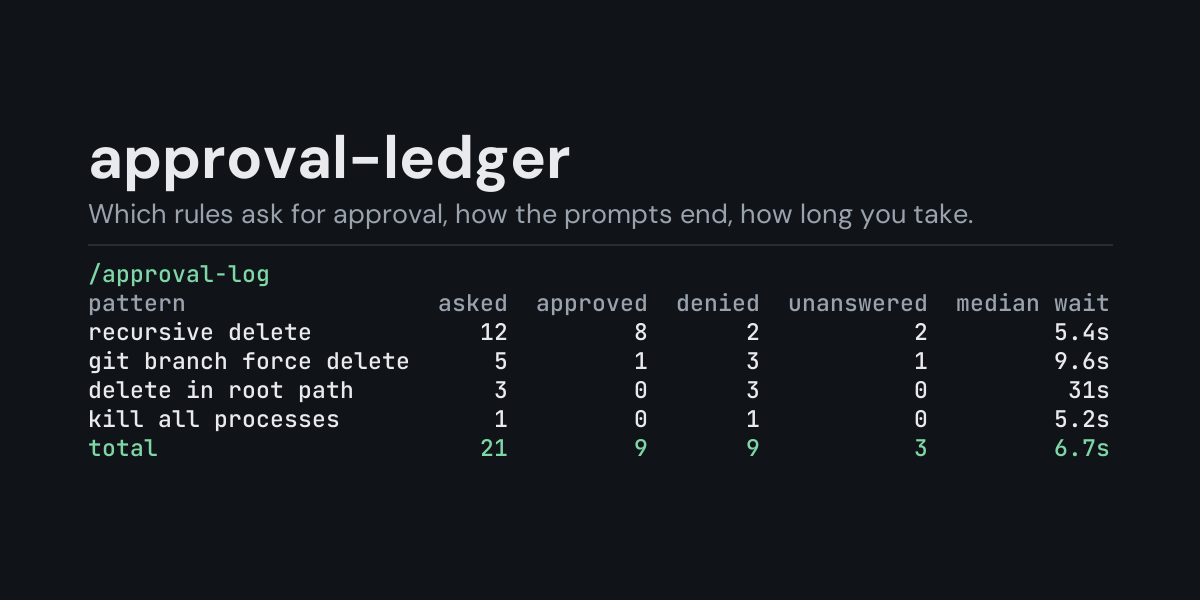
approval-ledger
A local ledger of the approval prompts Hermes raised, and an /approval-log command that shows
which rules ask most, how the prompts ended and how long you took to answer.
Hermes asks before it runs a dangerous command (a recursive delete, sudo, a force push, ...),
before a protected write, and for MCP consent. Each prompt is answered, denied, times out or is
withdrawn, and then it is gone. approval-ledger subscribes to pre_approval_request and
post_approval_response and keeps one row per decision, so you can see afterwards that one rule
asked thirty times this week, that most prompts on your phone time out, or that smart mode
denied something you then had to approve by hand.
Install
hermes plugins install approval-ledger --enable
Requires Hermes 0.21.5 or newer. No API key, no configuration, no dependencies.
Use
/approval-log             last 24 hours, by the rule that asked
/approval-log session     the most recent session that asked
/approval-log all         everything in the ledger
/approval-log 7d          the last 7 days (any number of hours or days: 6h, 30d)
/approval-log surfaces    add to any of the above to group by where it asked
/approval-log recent      add to any of the above to list the newest 10 decisions instead
/approval-log clear       delete the ledger
(/approvals is Hermes's own command for the approval mode; this plugin only reads.)
Example (/approval-log all, from the end-to-end test on Hermes 0.21.5: two prompts answered by
hand, then smart mode denying one command, the person declining to override it, and smart mode
approving another):
Approvals, all recorded:

pattern           asked  approved  denied  unanswered  median wait
recursive delete      5         2       3           0         0.6s

Smart-mode verdicts count as approved or denied; median wait is people's answers only.
- asked counts decisions. A smart-mode deny that Hermes then offers you to override is two.
- approved is once, session or always (or a smart-mode approve); denied is deny (or a smart-mode deny).
- unanswered is a prompt nobody answered: it timed out, the turn ended or was interrupted before an answer, or the notification could not be delivered. The command did not run.
- median wait is how long a person took to answer, from the prompt appearing to the answer. Smart-mode verdicts and unanswered prompts are left out of it.
- pattern is the label of the rule that asked (
recursive delete,sudo, ...), never the command. Grouped bysurfaces, the first column is where it asked instead:cli,gateway(messaging platforms, the TUI and Desktop),smart,transport:<plugin>, or an MCP/vault consent surface.
/approval-log recent lists the newest decisions of the chosen window, newest first (same run):
Approvals, all recorded, newest 5 of 5:

when             pattern  surface         answer  wait
1s ago  recursive delete    smart  smart_approve  0.0s
1s ago  recursive delete      cli           deny  0.6s
2s ago  recursive delete    smart     smart_deny  1.0s
4s ago  recursive delete      cli           once  0.3s
4s ago  recursive delete      cli           deny  0.6s
A time window counts back from now (/approval-log 6h, /approval-log 7d surfaces,
/approval-log 30d recent). The ledger keeps its newest 5,000 rows, so a long window on a busy
install reaches back only as far as those rows do.
What it does not see
- Commands Hermes never asks about: an approval you already gave for the session or
permanently,
approvals.mode: off, yolo mode, a sandboxed backend that skips the check, and one-shot (-q) or cron runs, where nobody could answer, so Hermes blocks or approves without a prompt. - A smart-mode verdict of "escalate" is not a decision: the prompt that follows it is.
What is recorded
One JSON line per decision in <HERMES_HOME>/plugin-data/approval-ledger/approvals.jsonl (per
profile):
ts, session_id, surface, pattern, choice, outcome, decided_by, coalesced,
wait_s.
Not recorded: the command, its description, the session key (it can hold a platform chat id), the deny reason. The hooks hand the plugin the command and description; the plugin drops both. The session key is held in memory only, for as long as the prompt is open, to pair the answer with its prompt.
The file is bounded: once it passes 2 MB it is rewritten to its newest 5,000 rows.
Security and footprint
register()only registers two hooks (pre_approval_request,post_approval_response) and one command (/approval-log).- Observer only: it cannot answer or change an approval. Each hook call notes a time or appends one line to the ledger, and nothing else.
- No network access, no subprocesses, no downloads, no credentials read.
- Writes only
approvals.jsonlunder its own plugin data directory./approval-log cleardeletes it. - The hooks never raise: if the ledger cannot be written, the failure is logged at debug level and the approval flow is not affected.
- Standard library only.
Development
python -m pytest tests                                                # unit tests, no Hermes needed
PYTHONPATH=<hermes checkout> python tests/e2e/approval_ledger_e2e.py   # Hermes's own approval guard
hermes plugins validate approval-ledger
Changes
- 1.0.0: first release.
MIT licensed.