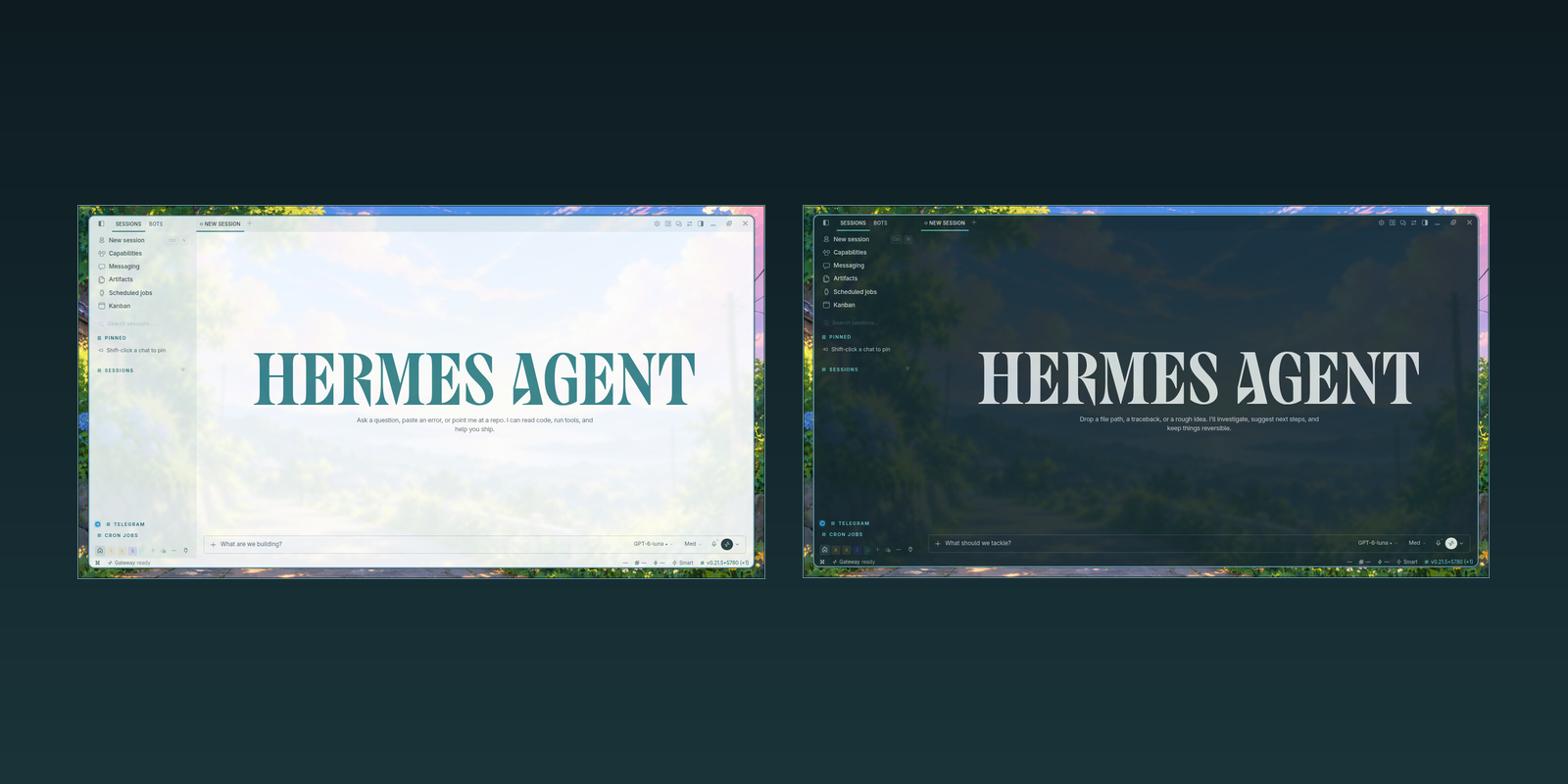
Glass Theme for Hermes
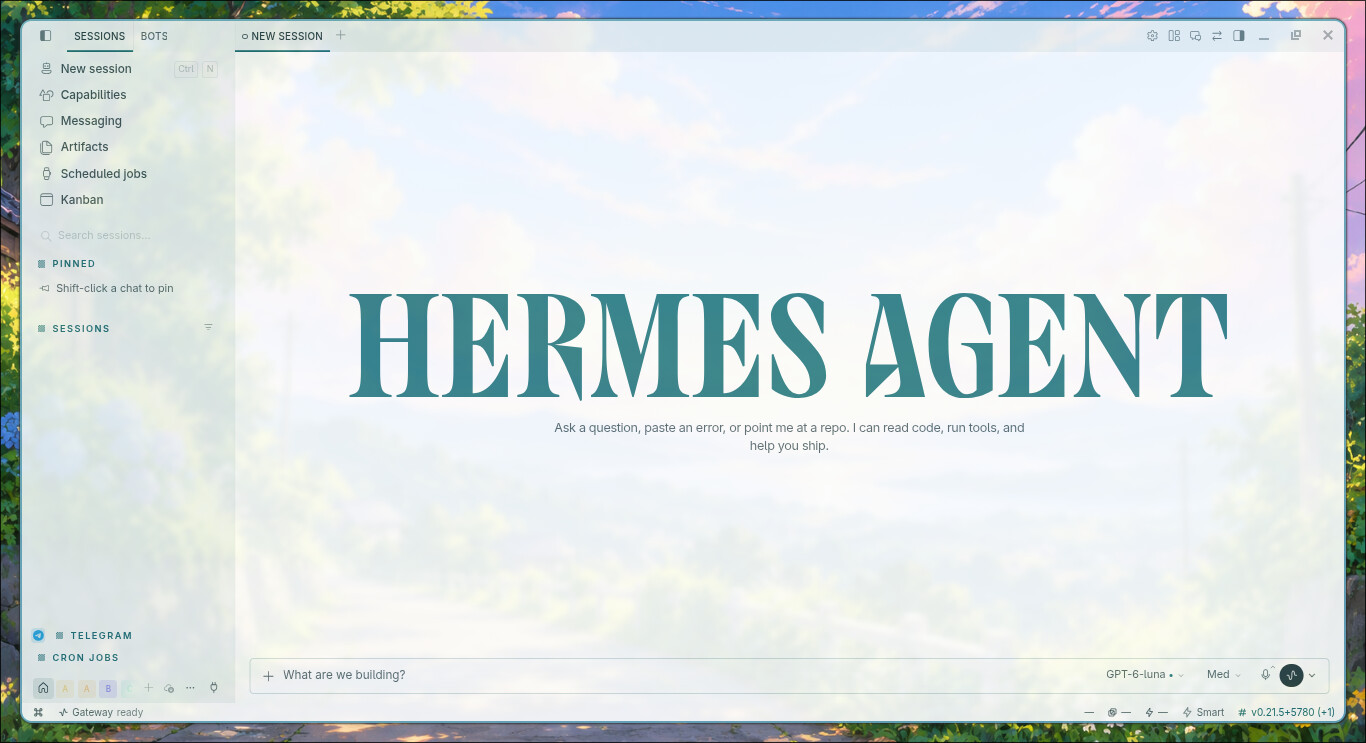
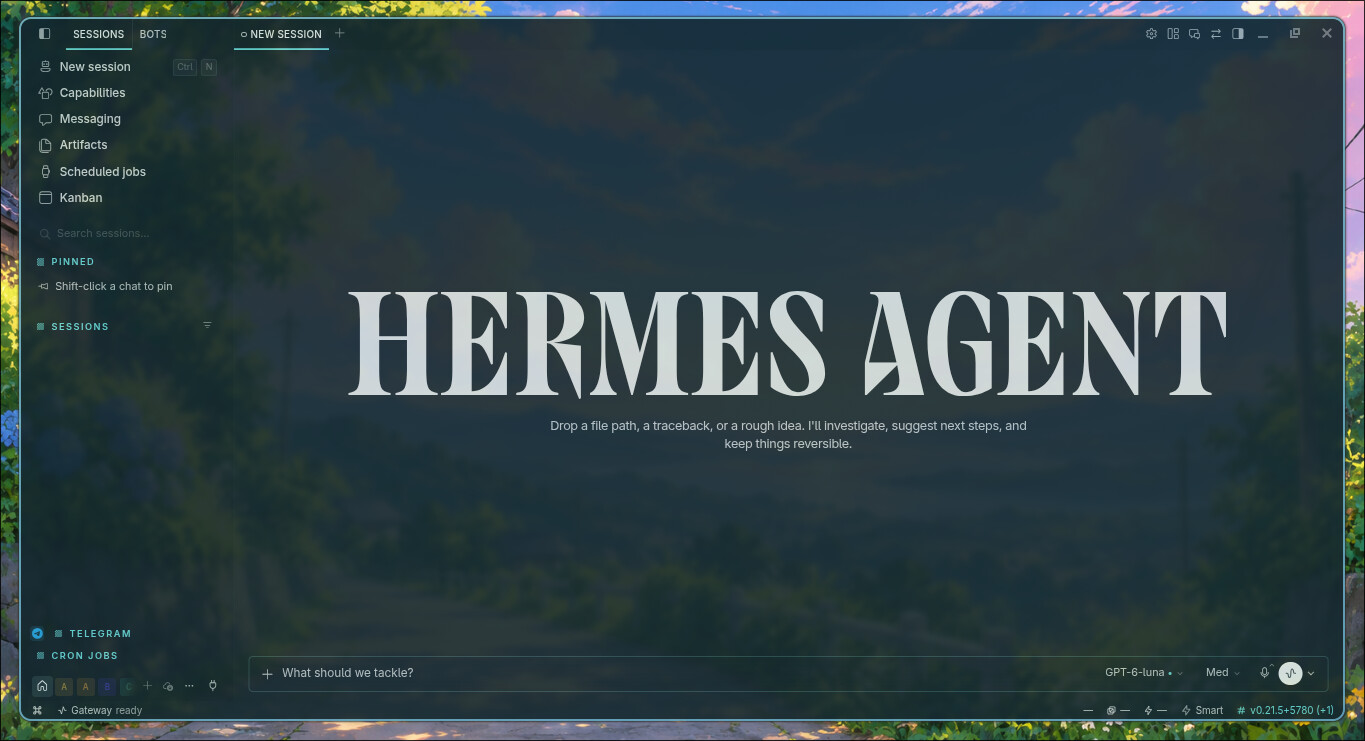
Glass Theme is a glass-inspired theme for Hermes Desktop. It pairs a white and gray light palette with a teal-toned dark palette and a matching ANSI terminal palette, tuned to stay readable under window-level translucency applied by the compositor.
The package uses Hermes' native Desktop Plugin SDK. It registers one DesktopTheme in THEMES_AREA with light and dark palettes and matching terminal colours. It does not modify Hermes core.
Features
- Light and dark themes in Hermes' native theme picker.
- CLI/TUI skins
glass-lightandglass-darkfor the Hermes Agent terminal, with the theme's banner emblem and wordmark. - Target contrast of at least 4.5:1 for normal text and 3:1 for controls, icons, and focus states.
- Terminal palettes designed for Hermes' concrete terminal canvas.
This plugin provides palettes only: it does not make the native window transparent and cannot control operating-system vibrancy, materials, or compositor rules. See Window opacity on Linux below for an external approach.
Preview
Light mode
Dark mode
Compatibility
Glass Theme requires Hermes Desktop and Hermes Agent >=0.21.3. It is a unified package: plugin.yaml describes the package, __init__.py is an inert compatibility entry point for the Agent loader, and desktop/plugin.js registers the Desktop theme. The same package ships two CLI/TUI skins for the Agent terminal (see CLI and TUI skins below). The Agent entry point registers no tools and changes no configuration.
Install only code that you have reviewed. Plugins run in the Desktop process, so retain access to the repository in case you need to remove the package.
Install from GitHub
Install the published repository with Hermes' plugin CLI, then enable the package:
hermes plugins install mykeura/glass-theme-for-hermes --no-enable
hermes plugins enable glass-theme
Hermes installs the package at $HERMES_HOME/plugins/glass-theme; no manual copying of desktop/plugin.js is required. Reopen Hermes Desktop and select Glass in the native theme picker. If the theme is missing or still shows an older description after an update, use ⌘K → Reload desktop plugins.
To revert, select another Desktop theme. To disable or remove the package, run hermes plugins disable glass-theme or hermes plugins remove glass-theme. Do not edit or delete Hermes core files.
CLI and TUI skins
The package ships two skins for the Hermes Agent CLI and TUI: glass-light and glass-dark. Both carry the theme's banner emblem and wordmark alongside the full colour palette.
Hermes only reads skins from ~/.hermes/skins/, so the skins that travel inside the plugin are not picked up automatically. Copy them once after installing, and again after every plugin update:
mkdir -p ~/.hermes/skins
cp ~/.hermes/plugins/glass-theme/skins/*.yaml ~/.hermes/skins/
The path uses the plugin's manifest name, glass-theme — not the repository directory name.
Then list the available skins and activate one:
hermes skin list
hermes skin use glass-dark
Inside a running session, /skin glass-dark switches skins without leaving the TUI.
The copy inherits whatever version is installed: check hermes plugins list and confirm it shows the version you expect before copying. If the installed plugin is older than the release you followed, the commands above still succeed and silently overwrite your skins with stale colours — there is no error or warning.
glass-light is designed for light terminals. On a black background its dark ink is not legible; use glass-dark there.
Window opacity on Linux
Glass Theme does not control native window opacity. On Linux, a compositor such as Hyprland can apply that effect outside the plugin. The following rule was used in this environment with the observed Hermes window class:
hl.window_rule({
    name = "hermes-opacity",
    opacity = "0.9 0.6",
    match = { class = "^(com\\.nousresearch\\.hermes)$" }
})
The first value applies to the active window and the second to an inactive window. Verify the class with hyprctl clients before reusing the rule, because another Hermes version or distribution may use a different identifier. Windows and macOS need a compatible window-management utility for comparable per-window opacity; this plugin cannot provide it.
Development and verification
The Desktop SDK loads desktop/plugin.js directly, without a build step. Run the following checks before a release:
npm run check
npm test
hermes plugins validate .
hermes plugins doctor . --ci
Static checks do not replace a visual check in a compatible Hermes Desktop session.
A small way to support the project
If you are considering the Nous Portal Plus plan, you can use my Nous Portal referral link. Your first month costs $5 instead of $20, and I receive a $10 referral credit that helps cover the API usage behind my ongoing work on Glass Theme and related Hermes plugins. It is entirely optional, but it is a simple way for both of us to benefit.
The offer is for new customers starting a new Plus subscription. It applies to the first invoice, and each payment card can be used for only one referral. If the card has already backed another referral, the discount is reversed and no referral reward is paid.
If you would rather support my work directly, you can also sponsor me on GitHub. Every bit helps me keep building and maintaining these open-source plugins. Thank you!
License
This project is licensed under the MIT License.