GitHub profile
Plugins by NousResearch
29 plugins by NousResearch in the catalog, most-starred first.
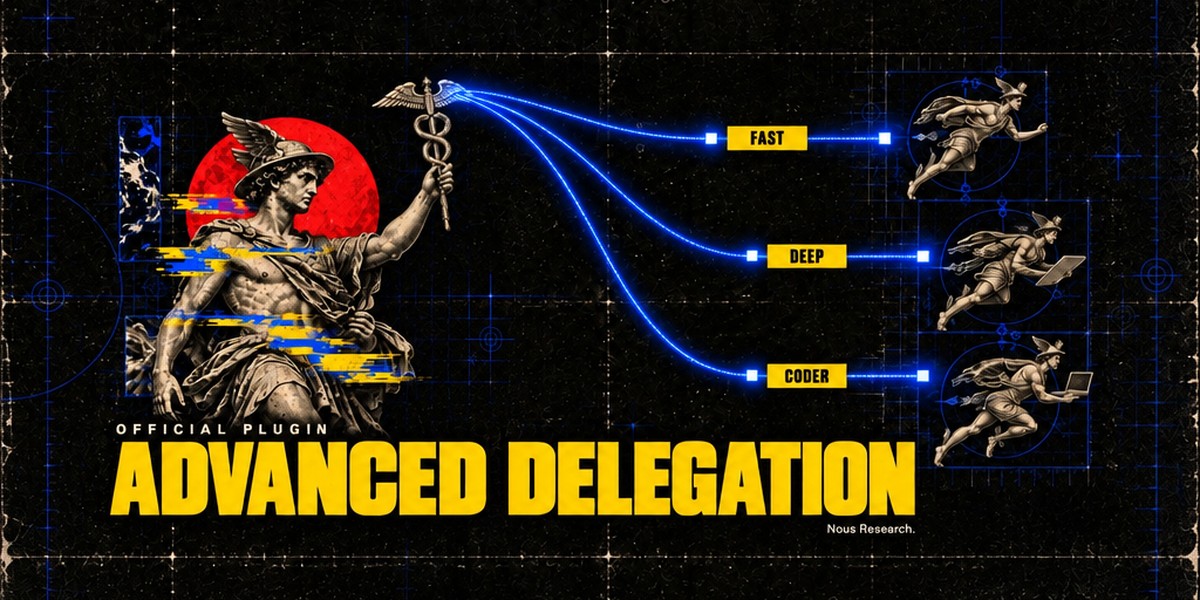
NousResearchaccent-pickerOKLCH accent colour picker for the Hermes Desktop status bar: drag it and the whole theme retints live, with palette commands to reset to the theme default or copy the current colour. A theme-authoring tool; the colour is scratch state and is never persisted. Desktop-only (desktop/plugin.js inside the plugin SDK surface); no agent tools, hooks, middleware or env vars.OfficialDesktop app676NousResearchadvanced-delegationTwo extra delegation modes for delegate_task, next to the built-in default. Model routes (delegation.backend: model_map): the agent picks a named model route per subagent from a list you define (e.g. fast, deep, local). Profile routes (delegation.backend: profile_routes): the agent runs a subagent as one of your Hermes profiles, with that profile's own model, credentials, skills and SOUL.md. Only route names and their one-line descriptions reach the model. Adds hermes delegation config (pick the mode and edit its routes; --show prints the setup) and the /delegation slash command (save a mode for the next session, or --now to apply it to the current chat). Needs Hermes 0.22.5 or newer, the first release with pluggable delegation providers; Hermes 0.22.0 to 0.22.4 refuses to install it, and on a core older than 0.22.0 it installs, logs one warning and does nothing. A model route can set daybreak: true to run its model with OpenAI's Daybreak trusted-access program; it is sent only from your own CLI, TUI or Desktop chats, on openai-codex, for models your Codex catalog lists, and a route that breaks a rule is refused. Disclosure — no Python dependencies and no network or model calls of its own, except that a Daybreak route checks the Codex catalog through core's cached lookup with your existing Codex login; subagents run through core's delegate_task on the routes you configured. Writes only delegation.backend and delegation.backends.* (model_map / profile_routes) in the active profile's config.yaml, through core's config writer. A model route's optional api_key is stored in config.yaml in plain text (provider: keeps keys in .env / auth.json). Listing a profile under profile routes lets this profile's subagents use that profile's credentials, SOUL.md and terminal policy.Officialtools676NousResearchagent-importershermes import-agent: import an OpenClaw (~/.openclaw, or legacy ~/.clawdbot / ~/.moltbot), Claude Code (~/.claude), Codex CLI (~/.codex), Cursor (~/.cursor), Grok Bot (a self-export the Bot writes from a prompt the importer prints) or OpenBot desktop (its openbot.db) setup into Hermes in one command; always previews first and asks before applying. Claude Code / Codex / Cursor: instructions, Cursor rules and memories become memory entries, Bash permission rules become command allow/deny lists, MCP servers land in config.yaml, skills are copied, and --sync re-imports sources that changed. OpenClaw (core's former hermes claw migrate; the plugin keeps that spelling, hermes claw cleanup and the openclaw-migration skill): persona, memories, skills, model and messaging settings, MCP servers and agent behaviour. Formerly built into Hermes core; hermes setup offers to install it when it finds one of these agents, and profiles with a registered sync source are migrated automatically. Disclosure — no Python dependencies, no network calls and no model calls. Claude Code / Codex / Cursor: reads those agents' local config trees (never their credential files; secret-looking MCP env vars and headers are stripped and listed) and writes only into the active profile (memories/MEMORY.md with a backup, config.yaml, skills/ and import-sync.json). OpenClaw: reads the OpenClaw dir (openclaw.json, its .env, workspace files such as SOUL.md / MEMORY.md / USER.md, skills); API keys and bot tokens come over only with --migrate-secrets (allowlisted names, shown in the preview). It writes into the active profile (config.yaml, .env, SOUL.md, memories/, skills/openclaw-imports/, a migration/openclaw/<time>/ report with item backups, and a backups/pre-migration-*.zip restore point), plus a workspace dir only when --workspace-target names one. It runs local pgrep / systemctl / tasklist checks to warn when OpenClaw or a Hermes gateway is still running, and hermes claw cleanup renames the OpenClaw dir to *.pre-migration after a confirmation. Grok Bot / OpenBot: instructions become SOUL.md, memories and user facts become memory entries, skills land in skills/<source>-imports/, scheduled routines become paused cron jobs (--activate-routines to start them) and event routines a notes file; credential-looking export keys refuse the file, and secret MCP env vars and headers are stripped and listed. OpenBot's database is opened read-only (or read from a scratch copy that is deleted after the read).Officialtools676NousResearchblenderOfficial Blender Lab MCP server over stdio, pinned to upstream v1.0.3, with a Blender workflow skill. Needs Git and uv; Blender 5.1+ is not needed at install. The skill opens Blender itself when a task needs it and, after you agree, installs Blender and Blender Lab's MCP add-on. First startup downloads Python dependencies; prepare the uv environment before connecting. Disclosure — tools execute arbitrary Python in Blender with your privileges; the skill starts Blender with online access for that session only (your saved preference is unchanged), and the add-on's local server on port 9876 has no password, so any program on this computer can use it while Blender is open; only after you agree does the skill download Blender from download.blender.org (about 400 MB, about 1.5 GB unpacked), check it against blender.org's sha256 list and install it in your own folder without administrator rights (Linux ~/.local/opt, macOS ~/Applications, Windows %LOCALAPPDATA%\Programs\Blender Foundation; never over an existing Blender), and download the v1.0.3 add-on, check its hash and install or enable it; first start downloads the pinned Blender Lab MCP server and its Python dependencies with uv. Server discovery does not prove scene readiness.Officialtools676NousResearchbubblewrapBubblewrap terminal backend for Linux: every terminal and execute_code command runs in its own bwrap sandbox on this machine at the host's own paths, with a read-only root, a writable working directory (per profile: restricted, workspace or network), the dot entries of the home directory (credential stores always) and the Hermes home hidden, private temp and process directories, agent and docker sockets masked, and per-command memory, CPU and process limits (hermes config set terminal.backend bubblewrap). Disclosure — no Python dependencies and no network calls of its own: it runs your commands through the bwrap and prlimit binaries you install (bubblewrap, util-linux), and under the default network profile those commands share the host network. It reads no credentials. File tools (read_file, write_file, patch, search_files) run inside the sandbox too, and because the working directory is a real host directory Hermes keeps its dangerous-command prompts, as for the local backend.Officialtools676NousResearchcamofoxCamofox browser backend: browse with a self-hosted anti-detection Firefox (Camoufox, C++ fingerprint spoofing) through the camofox-browser REST server. Registers the browser_* tools (navigate, snapshot with clickable refs, click, type, scroll, back, press, get_images, vision, JavaScript console, plus cookie import when CAMOFOX_API_KEY is set) in the camofox toolset, with hermes camofox setup|status; existing CAMOFOX_* variables and browser.camofox settings carry over. Formerly built into Hermes core; existing users are migrated automatically. Disclosure: one Python dependency (requests). It talks only to the Camofox server at CAMOFOX_URL (e.g. http://localhost:9377, which you run yourself: Docker or npm start), sending CAMOFOX_API_KEY as a bearer token when set. Page text reaches only your model as tool output; browser_vision sends the screenshot to your configured auxiliary vision model. Snapshots mask values that look like secrets (API keys, tokens), but text typed into form fields, passwords included, shows up in snapshots. Oversized snapshots and screenshots are written under the Hermes home (cache/web, browser_screenshots). Cookie import reads Netscape cookies.txt files only from browser.camofox.cookies_dir (default ~/.camofox/cookies). browser_vault fills saved passwords on the Camofox tab (sent only to a loopback or HTTPS CAMOFOX_URL). Inert on Hermes cores that still bundle Camofox.Officialweb676NousResearchclaude-subscription-directsdkExperimental model provider that runs Hermes turns on a Claude Pro/Max subscription through the official Claude Code CLI (the Agent SDK path), so no separate API key or per-token bill. Requires the claude CLI installed and logged in; the plugin checks for it at load, in hermes model, in the pickers and before every request, and refuses cleanly with the install hint when it is missing. Disclosure — every turn is billed against your Claude subscription's Agent SDK allowance, and the provider inherits whatever account claude is logged into.Officialmodels676NousResearchelevenlabs-musicElevenLabs Music for Hermes: describe a song or paste your lyrics and Hermes writes, generates and sends the track, 3 seconds to 10 minutes, vocals or instrumental. It can redo one section, extend or loop a song, split it into stems (vocals, drums, bass, guitar, piano, other) and score a video. Long songs finish in the background and arrive in the chat. Bundles a music skill (prompting, composition plans, edit recipes) and, in Hermes Desktop, an inline music card with synced lyrics, format downloads and a music library tab. Model, audio format and endpoint are plugin settings. Disclosure: uses your ElevenLabs API key (ELEVENLABS_API_KEY, the same key as Hermes's ElevenLabs voice; needs a paid ElevenLabs plan, and a restricted key needs the Music permission); compose, plan, upload, stems and video calls are paid generations billed to your ElevenLabs account by length (drafting a plan and listing finetunes are free). Only the prompt or plan, its parameters and any file you name are sent, to api.elevenlabs.io (or the data-residency endpoint you set); with store_for_editing on, ElevenLabs keeps generated songs so they can be edited later. Files are written to cache/generated/audio under the Hermes home and never overwritten. One Python dependency (httpx, already part of Hermes).Officialtools676NousResearchelevenlabs-sound-effectsElevenLabs sound effects for Hermes: one tool, elevenlabs_sound_effect, that turns a text description ("glass shattering on a tile floor", "90s hip-hop drum loop, 90 BPM") into an audio file, 0.5 to 30 seconds, optionally a seamless loop, and sends it to you in chat. Bundles a sound-design skill with a local ffmpeg script (trim, loudness, mono, loop fixing, game variation packs) and, in Hermes Desktop, an inline sound card and a sound library tab. Model, audio format and endpoint are plugin settings. Disclosure: uses your ElevenLabs API key (ELEVENLABS_API_KEY, the same key as Hermes's ElevenLabs voice; a restricted key needs the Sound Effects permission); every call is a paid generation billed to your ElevenLabs account. Only the sound description and its parameters are sent, to api.elevenlabs.io (or the data-residency endpoint you set). Files are written to cache/generated/audio under the Hermes home and never overwritten. One Python dependency (httpx, already part of Hermes).Officialtools676NousResearchhermes-memory-wikiMemory Wiki dashboard tab and opt-in native Desktop page: browsable subject pages and daily logs derived from local session history, plus a read-only Persistent Memory (MEMORY.md / USER.md) audit panel.OfficialDesktop app676NousResearchhermes-securitySecurity review for a local repository. The agent builds a threat model, splits the code into chunks and reviews them with parallel subagents, checks each candidate against the code and traces whether an attacker can reach it. Reports keep evidence, rejected candidates and coverage gaps, export to Markdown, JSON, CSV and SARIF, and get a Security page in Hermes Desktop. Standard, deep and diff modes; /security slash command and hermes security-review CLI. Optional "Run tests to confirm findings" writes small reproductions and runs them in a temporary copy of the repository; testing a running app needs a per-scan grant (one origin, one hour, 200 requests) that agent tools cannot issue. Apache-2.0 (parts adapted from Apache-2.0 source, see NOTICE). Disclosure — the first scan downloads a pinned osv-scanner release from GitHub (about 55 MB, refused unless its SHA-256 matches) into the plugin data folder; package names and versions go to api.osv.dev and api.deps.dev, declared runtime versions to endoflife.date (HERMES_SECURITY_DEPENDENCY_CHECK=off disables this). Test confirmation runs repository code as your user in a temporary copy with credential-looking environment variables removed; that is not a sandbox. The configured model provider receives the code under review; scan data stays in the profile's plugin data folder. With plugins.entries.hermes-security.allow_gateway_injection turned on (off by default), the plugin queues one "Continue security scan" message into the chat when a scan stalls, at most 3 times without progress. No Python dependencies.Officialtools676NousResearchhomeassistantHome Assistant gateway platform (state-change events in, persistent notifications and cron notify delivery out) plus the homeassistant toolset (ha_list_entities, ha_get_state, ha_list_services, ha_call_service). Formerly built into Hermes core; existing users are migrated automatically.Officialplatform676NousResearchlangfuseLangfuse observability for Hermes: one trace per turn, one generation per LLM call (usage and cost from Hermes' own pricing, cache and reasoning tokens included), one observation per tool call and subagent. Content capture is sanitized by default (metadata-only and full are opt-in); sends traces only to the Langfuse project whose keys you set. Formerly built into Hermes core as observability/langfuse; existing users are migrated automatically.Officialgeneral676NousResearchmcp-serveRun Hermes as an MCP server: hermes mcp-serve lets any MCP client (Claude Code, Claude Desktop, Cursor, Codex) list and read your messaging conversations, poll live events, send messages and answer approvals over stdio. --tools (off by default) also exposes Hermes' web, browser, vision, image generation, skills and TTS tools; terminal, file and kanban tools are never exposed. Formerly built into Hermes core as hermes mcp serve (MCP clients change their args to ["mcp-serve"]). Disclosure — the connecting MCP client reads the active profile's conversation history (state.db) and can send messages as your connected platform accounts; with --tools it also runs Hermes tools under your configured provider credentials, which can spend provider credits. The plugin itself makes no network or model calls beyond those tool calls and sends.Officialtools676NousResearchmeshyMeshy AI's own MCP server (pinned @meshy-ai/meshy-mcp-server@0.6.5) for text, image and multi-image to 3D, texturing, remeshing, rigging, animation, concept images and 3D-print prep, with a bundled meshy-3d workflow skill. In Hermes Desktop: inline 3D cards with a download and convert menu, a gallery of recent generations and saved models (with a "Made from" history), image sets, and a credit chip in the status bar. Every credit-spending call goes through Hermes's approval prompt with its estimated cost, and a 200-credit limit per chat makes it ask again. Needs MESHY_API_KEY and Node.js 18+. Disclosure — first start downloads the pinned server from npm through npx; it sends prompts and the images or models you or the agent name to Meshy's API (api.meshy.ai) under your key, gets only MESHY_API_KEY from your profile, and sends no analytics (its User-Agent names Hermes and its version). Downloads go to the plugin's data folder or the folder the agent names (never over an existing file); the Desktop backend fetches only from Meshy's asset hosts. The skill's helper scripts (model stats, preview render, optional Blender hand-off) run locally through the terminal tool.Officialtools676NousResearchreaReverse engineer programs with REA (rea.tools): native binaries, .NET assemblies, Electron/JavaScript apps, Android packages, firmware and browser/process activity, through REA's MCP server (pinned rea-agents@6.7.0 over npx stdio) with REA's reverse-engineer-anything skill adapted for Hermes. Portable Agent Plugins v1 package (mcp.json + skills/); needs Node.js 22.19+/24.11+/26+ on PATH, plus your own Ghidra, Hopper or IDA for native decompilation. Disclosure — a few REA tools run a command under a PTY, launch or drive an application, change a connected Android device or overwrite a chosen file, and Hermes does not prompt before them; the bundled skill tells the agent to ask first and to skip them in unattended runs.Officialtools676NousResearchsingularitySingularity/Apptainer terminal backend: Hermes's terminal, file and code tools run inside a hardened, rootless container on this machine (--containall --no-home), with CPU/memory limits and an optional per-session persistent overlay (hermes config set terminal.backend singularity; image from terminal.singularity_image). Formerly built into Hermes core; existing users are migrated automatically. Disclosure — no Python dependencies and no network calls of its own: it drives the apptainer (or singularity) CLI you install, which pulls the configured image (default docker://nousresearch/hermes-sandbox:desktop) and caches a SIF under your scratch directory. Your skills and registered credential files are bind-mounted read-only into the container, and because the container is a disposable sandbox Hermes skips its dangerous-command prompts there, as for its other container backends.Officialtools676NousResearchsnykScan code (SAST), dependencies, container images, IaC and SBOMs with Snyk through its first-party MCP server (pinned snyk@1.1306.0 over npx stdio, CLI analytics disabled), with the snyk-security-scan workflow skill bundled. Portable Agent Plugins v1 package (mcp.json + skills/); needs Node.js/npm on PATH and a free Snyk account (browser login via the snyk_auth tool).Officialtools676NousResearchspotifySpotify for Hermes: seven tools (playback, devices, queue, search, playlists, albums, library) over the Spotify Web API, plus hermes spotify login|status|logout (loopback PKCE with your own Spotify developer app; Premium needed for playback control). Formerly built into Hermes core; existing users are migrated automatically.Officialtools676NousResearchtouchdesignerDrive a live TouchDesigner session through the twozero MCP server (Streamable HTTP on 127.0.0.1:40404), with the touchdesigner-mcp workflow skill bundled. Portable Agent Plugins v1 package (mcp.json + skills/); TouchDesigner itself runs on macOS/Windows.Officialtools676NousResearchxchatX Chat gateway platform: talk to Hermes in X's end-to-end encrypted DMs. Hermes runs as the X account you connect: chat with it in your own self-chat ("message yourself"), or give it a separate account and DM that. Messages are decrypted and encrypted locally with X's official Chat XDK, so X only routes ciphertext. Encrypted media, threaded replies, group mention gating and cron delivery.Officialplatform676NousResearchgithub-copilotGitHub Copilot model providers for Hermes: copilot (the Copilot API with your Copilot subscription: GPT, Claude, Gemini and Grok models, sign in with hermes auth add copilot or COPILOT_GITHUB_TOKEN / GH_TOKEN / GITHUB_TOKEN) and copilot-acp (drives your installed GitHub Copilot CLI over ACP). Moved out of Hermes core; profiles that used Copilot get it installed automatically. A Hermes Labs plugin: built by Nous Research, not supported. Disclosure — signs in with GitHub's device-code flow using the Copilot editor OAuth app, exchanges your GitHub token for a short-lived Copilot token at api.github.com and sends your prompts to api.githubcopilot.com (or models.github.ai); it calls GitHub only for profiles that chose Copilot, never runs gh or reads other tools' token files, and caches the exchanged token in <HERMES_HOME>/.copilot_jwt.json. copilot-acp runs your local copilot CLI.Communitymodels168NousResearchhermes-telegram-businessObserve-with-approval Telegram Business Mode (secretary bot): Hermes drafts replies to your customers' messages and DMs each draft to you with Send, Edit and Discard buttons; nothing reaches a customer until you tap Send. A Hermes Labs plugin: built by Nous Research, not supported. Disclosure — each customer message is sent to your active Hermes model to draft the reply, and drafts and connection records are stored locally in <HERMES_HOME>/telegram-business/state.db.Communityplatform168NousResearchinboxhermes inbox: one read-only view of everything in flight for the active profile: failed or paused cron jobs, stalled or dropped delegations, orphaned background processes, blocked kanban tasks, running work, undelivered delegation results, upcoming cron runs and open chat sessions, with --json for scripts. A Hermes Labs plugin: built by Nous Research, not supported. Disclosure — reads processes.json, cron/jobs.json, runtime/active_sessions.json and state.db (SQLite read-only) in the profile's home, plus the shared kanban board's kanban.db (read-only); it never writes, repairs or prunes them, adds no model tools or hooks, and sends nothing anywhere.Communitygeneral168NousResearchpatsnapPatent and scientific-literature search through Patsnap's own hosted MCP server: prior-art and landscape searches across WIPO/EPO/USPTO/CNIPA/JPO/KIPO and more, paper search (PubMed, Nature, arXiv and others), assignee resolution, corporate trees and a patent's legal lifecycle, with a bundled patsnap-search workflow skill. Needs PATSNAP_API_KEY from the Patsnap Open Platform. A Hermes Labs plugin: built by Nous Research, not supported. Disclosure — connects to connect.patsnap.com over HTTPS and sends your queries and record ids there under your key (every call spends Patsnap credits); gets only PATSNAP_API_KEY from your profile and sends it in a request header, never in the URL; no local processes, files or telemetry.Communitytools168NousResearchworkflow-recordhermes record: demonstrate a browser workflow once (clicks, field values, navigations) and its bundled skill lets /learn turn the recording into a skill that replays it with the browser tools. A Hermes Labs plugin: built by Nous Research, not supported. Disclosure — attaches over CDP to a Chromium you point it at (--cdp, BROWSER_CDP_URL, browser.cdp_url or 127.0.0.1:9222) and records what you do in that tab until Ctrl-C; password, one-time-code and card fields are masked inside the page as {SECRET:name} and never written. Recordings stay local in <HERMES_HOME>/recordings; nothing is sent anywhere until you run /learn on one, which hands it to your active model.Communityautomation168NousResearchyuanbaoTencent Yuanbao messaging platform (DMs and group chats over Yuanbao's bot WebSocket, native media and stickers, DM/group access policies, cron home-channel delivery) plus the yuanbao toolset (yb_query_group_info, yb_query_group_members, yb_send_dm, yb_search_sticker, yb_send_sticker). Formerly built into Hermes core; existing users are migrated automatically. A Hermes Labs plugin: built by Nous Research, not supported, and likely not maintained going forward. Fixes from the community are welcome. Disclosure — messages, media and group member lists travel between Tencent's Yuanbao servers and your Hermes gateway using your own Yuanbao bot App ID and App Secret. The plugin also downloads image URLs that appear in replies or inbound messages, and its sign-token requests carry the Hermes version and an instance id.Communityplatform168NousResearchnvidia-appNVIDIA App control through its local MCP server: overlay capture and state, driver status and release notes, game optimization, and app launch. Requires NVIDIA App 11.0 or newer on Windows; the install is refused when the app is absent, and the tools appear while the app's service is running. The plugin reads the endpoint and token NVIDIA App publishes in its own McpServer server.json on every connection, so a changed port or token needs no reconfiguration. Disclosure: the tools read and change NVIDIA App settings on this machine; nothing leaves loopback.Certifiedtools19NousResearchnvidia-broadcastNVIDIA Broadcast control through its local MCP gateway: camera, microphone and speaker effects, Studio Voice profiles, device selection, camera resolution, and effects on local media files. Requires NVIDIA Broadcast 2.3 or newer on Windows (2.2 and older have no gateway); the install is refused when the app is absent, and the tools appear while NVIDIA Broadcast is running in the user's desktop session. Disclosure: the tools change live audio and video effects on this machine; nothing leaves loopback.Certifiedtools19