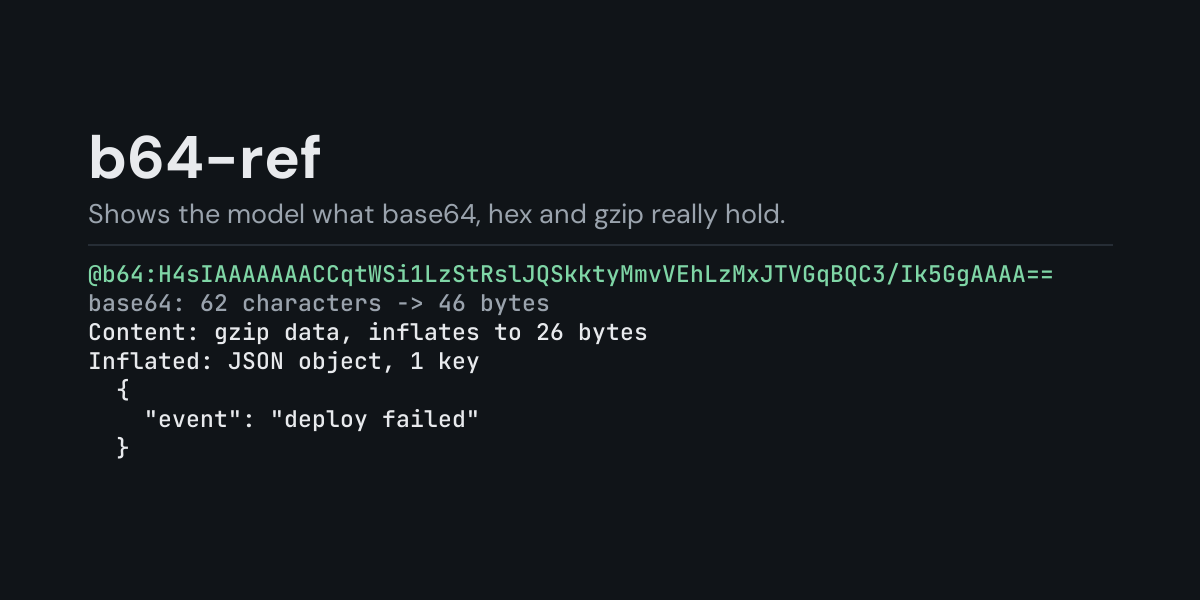
b64-ref
@b64: references for Hermes: put @b64:SGVsbG8= in a message and Hermes replaces it with what
the value holds, decoded on your machine: text as text, JSON pretty-printed, gzip and zlib
inflated, and anything else named by its format (a PNG with its size, a ZIP, a PDF, an ELF ...)
with a hex dump of its first bytes.
Base64 turns up everywhere: Kubernetes secrets, Authorization: Basic headers, data URIs,
message queue payloads, compressed log fields. A model decoding it in its head gets bytes wrong
often enough to matter, and cannot inflate gzip at all. With @b64: it gets the exact contents.
Install
hermes plugins install b64-ref --enable
Requires Hermes 0.21.5 or newer. No API key, no configuration, no dependencies.
Use
@b64:SGVsbG8sIHdvcmxkIQ==          base64 (standard or URL-safe, padded or not)
@b64:48656c6c6f                    hex (also 0x48656c6c6f, 48:65:6c:6c:6f, \x48\x65...)
@b64:caf%C3%A9%20au%20lait         percent-encoding
@b64:data:image/png;base64,iVBO... a data: URI
@b64:base64:<value>                pick the encoding: base64:, base64url:, hex: or url:
@b64:"SGVs bG8s IHdv cmxk IQ=="    a value with spaces or line wrapping, in quotes
The encoding is told by the value's shape: a %XX sequence means percent-encoding, a value made
only of hex digit pairs (or starting with 0x) means hex, and the base64 alphabets cover the
rest. A value that fits both hex and base64 is read as hex, with a note saying how to read it
as base64 instead.
Example, from the end-to-end test (a one-shot hermes chat turn). The message
What happened here? @b64:H4sIAAAAAAAC/6tWSi1LzStRslJQSkktyMmvVNJRUMrPBvLTEnOKU2sBCu+5NiAAAAA=.
reaches the model as the message followed by:
base64: 67 characters -> 50 bytes
Content: gzip data, inflates to 32 bytes
Inflated: JSON object, 2 keys
JSON
  {
    "event": "deploy",
    "ok": false
  }
- Text is shown as is, up to 3,000 characters and 60 lines (the rest is counted). Control
and invisible characters (a zero-width space, a bell) are shown as
\x07/\u200bso they cannot hide in plain sight. UTF-8 and UTF-16 byte order marks are recognised. - JSON objects and arrays are pretty-printed.
- gzip and zlib are inflated in memory, at most 1 MiB, one layer deep, and what they held is described the same way.
- Binary is named when its first bytes give it away (PNG and GIF with their size, JPEG, WebP, PDF with its version, ZIP, gzip, bzip2, xz, zstd, 7-Zip, ELF, Mach-O, Windows PE, Java class, WebAssembly, SQLite, DER, Ogg, MP3, WAV, MP4) and shown as a hex dump of its first 128 bytes.
- Notes call out a value that was cut short or edited (its last character carries bits that
decoding drops), padding that is off, text that is base64 or percent-encoded again (decode it
with another
@b64:), and a JWT inside (decode it with@jwt:from jwt-ref).
Errors say what is wrong ('=' may only appear at the end of base64, as padding, base64 cannot be 5 characters long (one character is left over); it was probably cut short) and reach
the model under Hermes's context warnings. Values longer than 65,536 characters are refused.
Suggestions
In the TUI and the desktop app, @b64: followed by a value previews it as a suggestion
(base64 -> 13 bytes, text "Hello, world!"). The classic CLI does not show reference suggestions.
What it does not do
b64-ref decodes; it never runs, opens or saves what it decodes, and it does not decrypt anything. It does not follow a URL in the decoded text.
Security and footprint
register()only registers one context reference provider (@b64:).- It reads nothing but the text of the reference itself, and only when you write
@b64:in a message. - No network access, no subprocesses, no downloads, no credentials read, no files read or
written. The plugin keeps no copy of what it decodes, but the
@b64:reference and the decoded contents become part of the message sent to your model provider and saved in the session history. Base64 often hides a secret (a Kubernetes secret, a Basic auth header): decode it only where you would paste the secret itself. - Standard library only (
base64,json,urllib.parse,zlib).
Development
python -m pytest tests                                         # unit tests, no Hermes needed
PYTHONPATH=<hermes checkout> python tests/e2e/b64_ref_e2e.py   # real hermes chat turns and TUI suggestions
hermes plugins validate b64-ref
Changes
- 1.0.0: first release.
MIT licensed.