tuancookiez-hub
GIF Tool
Show, edit and compress GIFs inside Hermes Agent.
GIFs are the one format every chat app plays and nobody can easily edit, and they are huge. GIF Tool
gives Hermes a real GIF workflow:
- Show any GIF in chat. Give Hermes a file path or a link ("open this gif …") and it plays in a
card in Hermes Desktop. On Telegram, Discord and the CLI you get the file as usual. - Edit it in the card. Exact captions, speed, reverse, boomerang, trim, per-frame timing, drop
frames, crop. The preview updates as you type. The original is never changed, so Reset undoes
everything. - Compress it for where it is going. One click for Discord (10 MB), Discord emoji (256 KB),
Telegram, X (5 MB), "under 1 MB", animated WebP, or your own size limit. The compressor keeps
shrinking until the file fits and tells you the size before and after. - Create one from a prompt.
gif_createmakes a four-frame meme GIF with the image model behind
your ChatGPT/Codex sign-in, with captions drawn exactly as you typed them. - GIF Studio. Command palette → "GIF Tool: open studio": every GIF in your profile, drop in a
file or paste a link, no agent turn needed.
Everything except gif_create and downloading a link runs on your machine, costs nothing, and takes
a second or two.
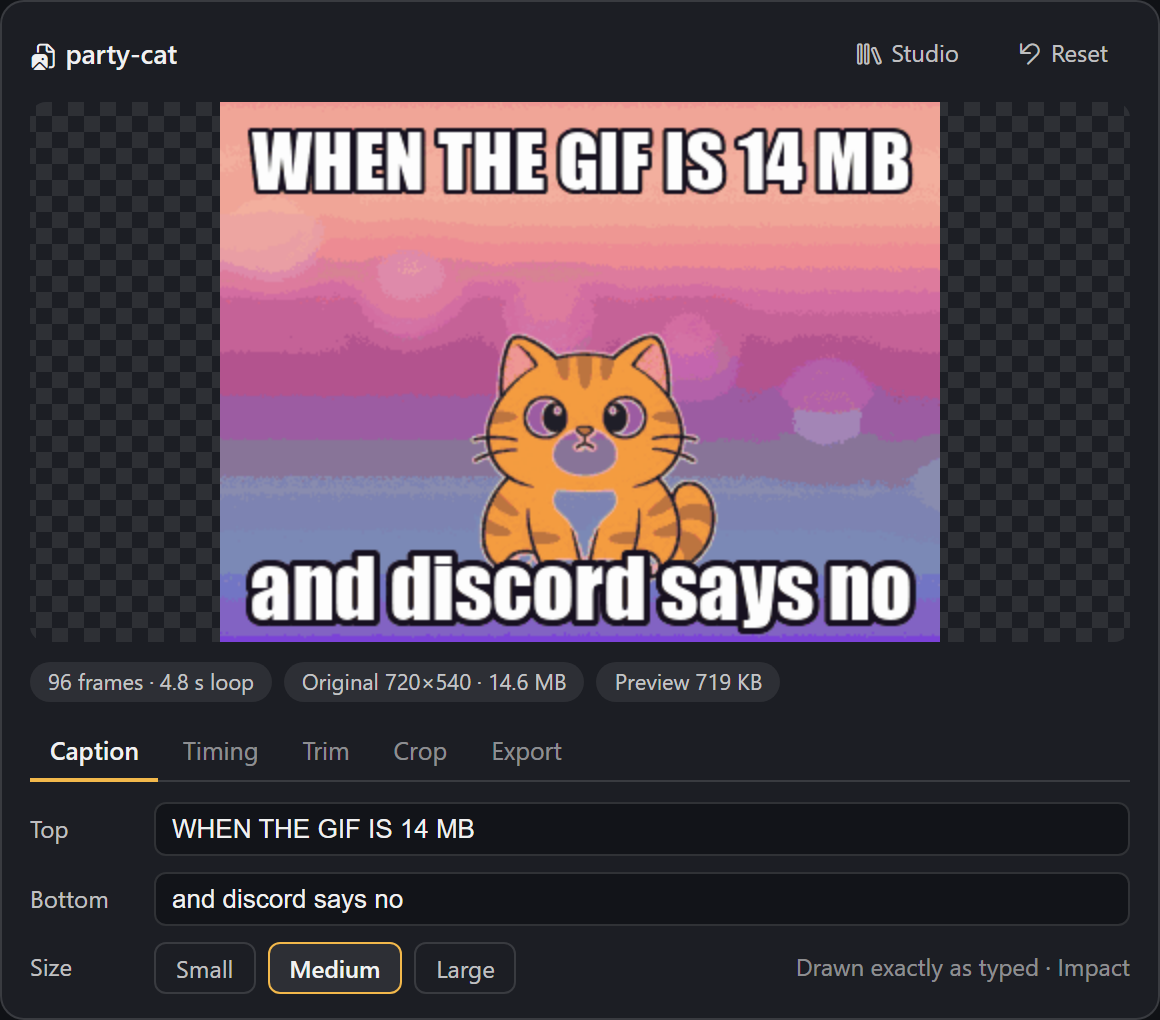
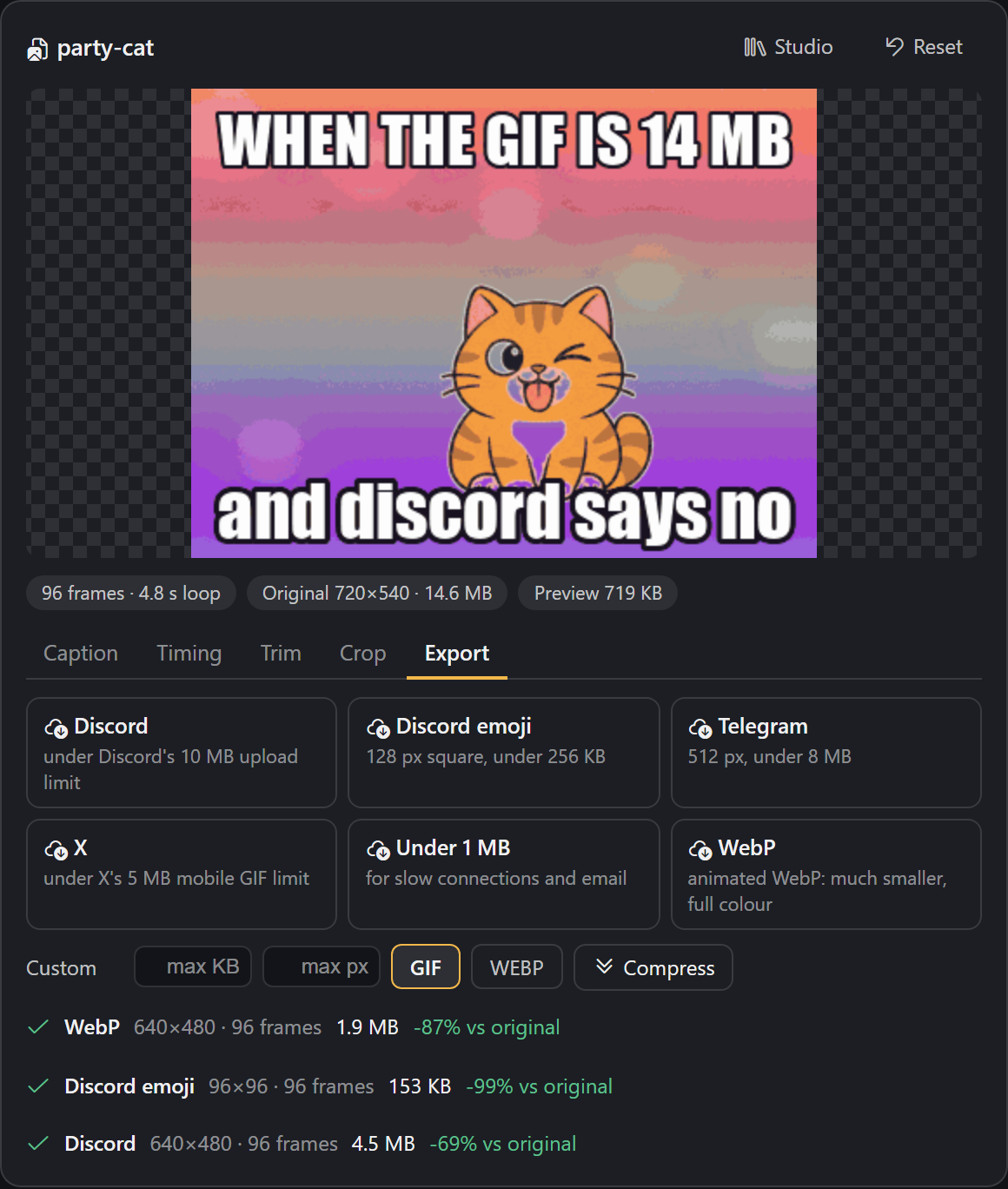
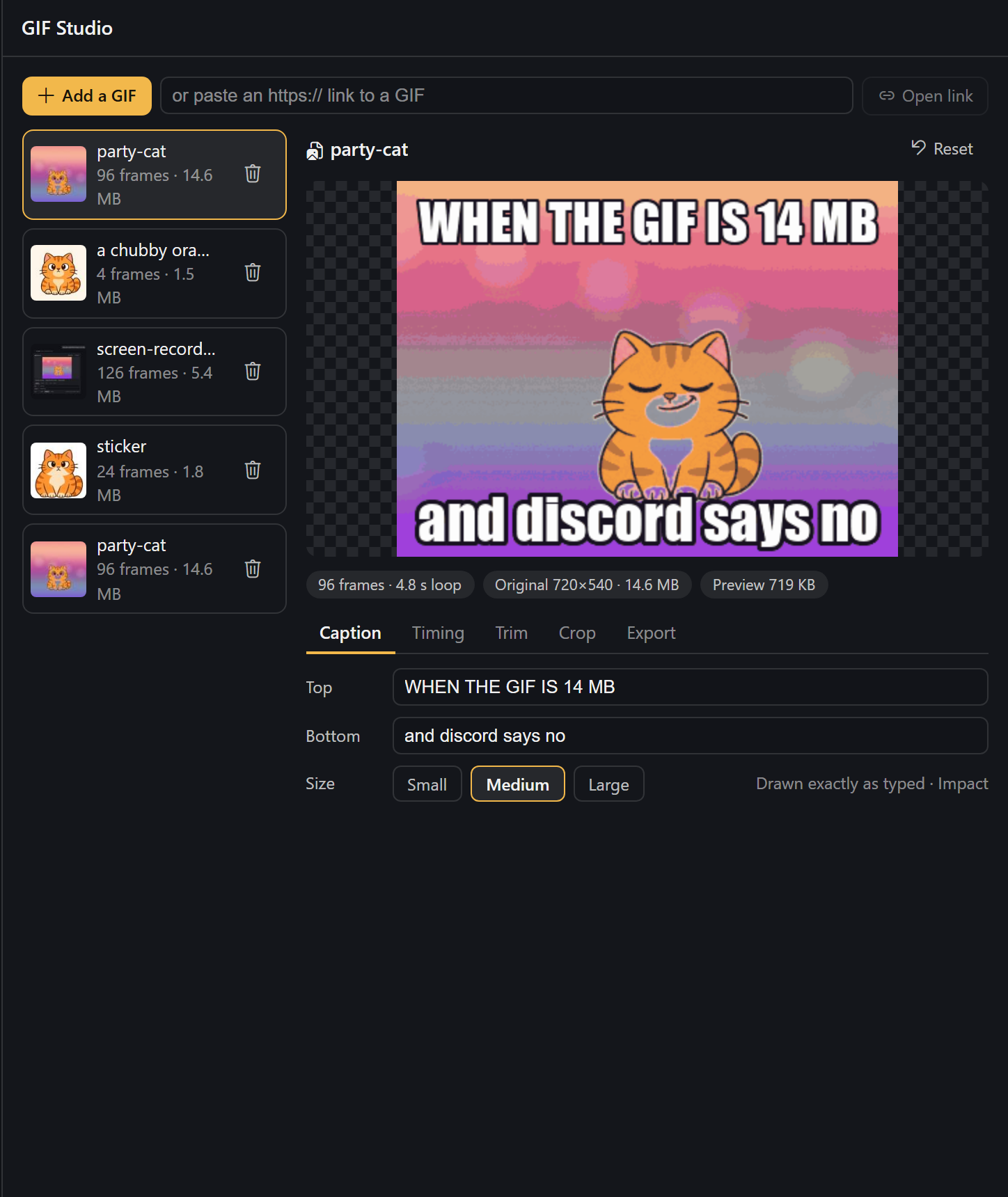
Screenshots show the card in a test page with a neutral dark theme; in Hermes Desktop it follows your
theme.
Tools
| Tool | What it does | Cost |
|---|---|---|
| gif_open | A GIF / animated WebP / APNG / PNG / JPEG from a path or https link → an editable project, shown in chat | free (downloads the link you give it) |
| gif_edit | Captions, text size, speed, trim, reverse, boomerang, crop, keep every Nth frame, per-frame delays | free, local |
| gif_export | Compress to a preset or to max_kb / max_px, as GIF or WebP; works on a project or straight on a path/link | free, local |
| gif_create | Prompt (+ optional per-frame beats and captions) → a looping 4-frame GIF | one image from your ChatGPT plan, 30–60 s |
Example requests:
- "Open
~/Downloads/demo.gif, trim it to the first 40 frames and make it 1.5× faster." - "This GIF is 14 MB and Discord won't take it. Fix it." →
gif_exportwith thediscordpreset. - "Turn it into a Discord emoji." → 128 px square under 256 KB.
- "Make a GIF of a smug cartoon cat winking. Top text: WHEN THE BUILD PASSES."
How the compression works
Pure Pillow, no external binaries:
- One shared palette for all frames and no dithering (dither noise defeats GIF's LZW coding).
- Frame differencing. Pixels that did not change since the previous frame are written as
transparent, so a static background costs almost nothing. An optional tolerance treats
nearly-identical pixels as unchanged; it is measured against what is actually on screen, so the
error never builds up over the animation. - Fit to a size. If the result is over the limit, the compressor walks a ladder (tolerance →
smaller frame → fewer colours → fewer frames), sized from how far over it was. Long GIFs are
sized on a 12-frame sample first, so the full encode usually runs once. - Animations with real transparency keep whole frames, so stickers never smear.
Measured on a 14.6 MB, 96-frame, 720×540 test GIF: 5.3 MB for Discord (−64%), 4.1 MB for X,
2.5 MB for Telegram, 785 KB for "under 1 MB" and 1.2 MB as WebP (−92%), each in 2–6 seconds. A
1.8 MB transparent sticker becomes a 114 KB Discord emoji. Results vary with the content: flat
cartoons shrink far more than camera footage.
Requirements
- Hermes Agent 0.22.0 or newer. The card needs a Hermes Desktop with tool-media renderers; older
Desktops and other surfaces show the plain GIF. - Pillow (
>=10.1,<14) and httpx, both of which Hermes already ships. - Only for
gif_create: signed in to OpenAI Codex in Hermes (Desktop → Providers, or
hermes auth add openai-codex). Everything else works without it.
Install
hermes plugins install gif-tool
Before the catalog listing is live, install from the repository URL instead:
hermes plugins install <this repo's https URL>.
Restart Hermes once after installing so the card's backend routes mount.
Disclosures
- Network,
gif_open/gif_exportwith a link, and Studio "Open link": one HTTPS download of
the link you gave. https only, default port, no cookies or credentials; hosts that resolve to
private, local or link-local addresses are refused, and every redirect is checked again. A GIPHY or
Tenor page link is followed once to itsog:image. Nothing is uploaded. - Network,
gif_create: one HTTPSPOSTto
https://chatgpt.com/backend-api/codex/images/generationsper call. Hermes sends it with your
Codex sign-in throughcredentialed_provider_request; the plugin never sees, stores or refreshes
the token. Only the text prompt is sent. Captions are not sent; they are drawn locally. - Cost: each
gif_createuses one image from your ChatGPT plan's image allowance. No other
feature costs anything. When the plan's limit is used up the tool says so and stops. - Model: the Codex endpoint ignores the requested model and does not report which model made the
image, so GIF Tool cannot pick or confirm a specific version. It also ignores the requested size;
GIF Tool crops locally. Measurements are in docs/codex-image-findings.md. - Reads outside its own data: the image file whose path you give
gif_open/gif_export, and
a system font for captions (Impact on Windows/macOS, DejaVu Sans Bold on Linux, else Pillow's
built-in font). - Data stored: each project (a copy of the source image plus a
project.jsonwith your edits)
under$HERMES_HOME/plugin-data/gif-tool/projects/<id>/. Rendered files go to
$HERMES_HOME/cache/generated/images/, where Hermes deliversMEDIA:files from. Studio's delete
button removes a project folder. - No shell commands, background processes, telemetry, self-updates, or stored credentials.
Limits
- Sources up to 40 MB and 8192 px. Animations longer than 240 frames are opened at every Nth frame
(timing is kept). Working resolution is capped at 800 px on the long side. - Studio uploads are capped at 25 MB; larger files open through
gif_openwith a path. gif_createmakes 4 frames (one 2×2 sprite sheet). Expression changes and small motions loop
best. The Codex service refuses direct GIF output, which is why frames are built locally.- GIF has 256 colours and no dithering is applied, so smooth gradients can band. The WebP export
keeps full colour.
Development
python -m pytest tests     # offline: encoder round-trips, compressor, edits, validation
hermes plugins doctor .
hermes plugins validate . --install-deps
desktop/plugin.js is plain ESM with no build step.
License
MIT
README from the reviewed commit 0c3cdbd; it updates when the author re-pins.