All plugins

hermes-slots

A grimy little slot machine pet for Hermes Desktop, drawn as low-resolution pixel art. It sits in the bottom right corner above the app, like the Hermes pet, takes no layout space and can be dragged anywhere. Drag its lever down and let go, or click the machine, to spin a five by three screen for play coins. Three in a line pays across, down or diagonally on 20 lines, so about three pulls in four pay something, and a line of sevens pays 100 times the bet. Bet any whole number of coins. A piggy bank beside it keeps coins safe and pays 1% interest an hour, worked out from saved timestamps, and its panel also holds the pay table and the sound switch. Reachable from the status bar, the command palette and the keyboard. Disclosure: coins are play money inside the plugin and cannot be bought, sold or cashed out; no network requests, no model calls and no background processes; spins use the browser's random numbers and the published pay table; sound effects are CC0 clips by Kenney built into the bundle, played only after a click or key press; the game is kept in Desktop plugin storage on this machine; the plugin adds its own floating element to the page (Hermes has no SDK area for one) and removes it on unload, without reading or changing core markup.

tuancookiez-hubDesktopv0.1.0Updated 5 days ago

About

A grimy little slot machine pet for Hermes Desktop, drawn as low-resolution pixel art. It sits in the bottom right corner above the app, like the Hermes pet, takes no layout space and can be dragged anywhere. Drag its lever down and let go, or click the machine, to spin a five by three screen for play coins. Three in a line pays across, down or diagonally on 20 lines, so about three pulls in four pay something, and a line of sevens pays 100 times the bet. Bet any whole number of coins. A piggy bank beside it keeps coins safe and pays 1% interest an hour, worked out from saved timestamps, and its panel also holds the pay table and the sound switch. Reachable from the status bar, the command palette and the keyboard. Disclosure: coins are play money inside the plugin and cannot be bought, sold or cashed out; no network requests, no model calls and no background processes; spins use the browser's random numbers and the published pay table; sound effects are CC0 clips by Kenney built into the bundle, played only after a click or key press; the game is kept in Desktop plugin storage on this machine; the plugin adds its own floating element to the page (Hermes has no SDK area for one) and removes it on unload, without reading or changing core markup.

Hermes Slots (Slot Pet)

A grimy little slot machine pet for Hermes Desktop. It sits above the app in the bottom right corner, like the Hermes pet, takes no layout space and can be dragged anywhere. It is a sibling of Hermes Plant and is built the same way.
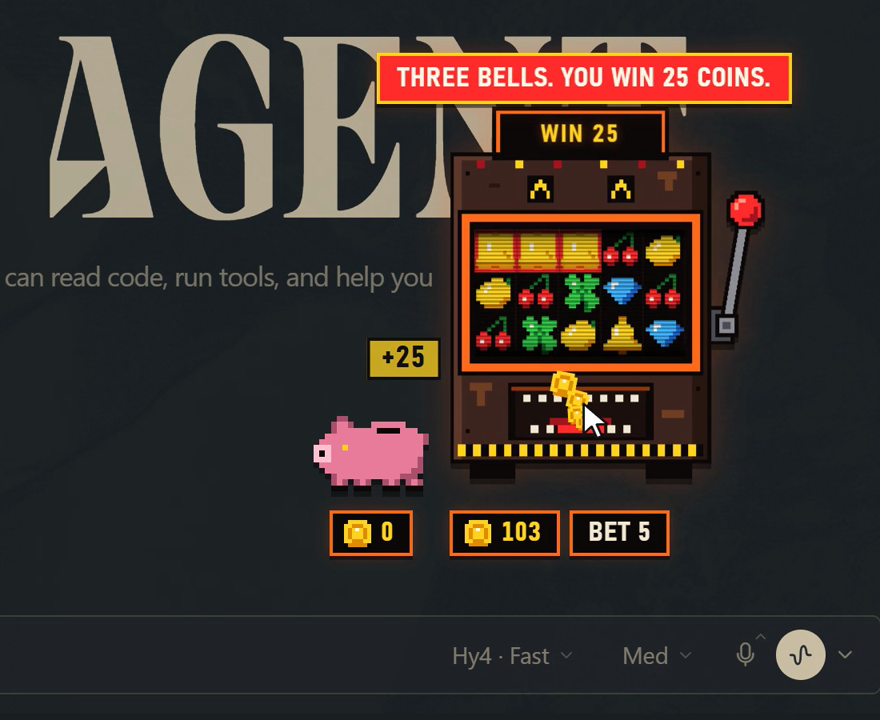
The machine paying out a line of bells

The look is low-resolution pixel art: a rusted cabinet with orange trim, a black five by three screen of bright symbols, and sound that plays slow and low. All of the art is original and drawn in code.

Coins are play money. They cannot be bought, sold or cashed out, and nothing here touches the network.

Using it

  • Drag the lever down and let go to spin. Pull it at least most of the way.
  • Click the machine to have it pull the lever for you. Drag the machine to move it.
  • Click BET to step the bet up: 5, 10, 25, 50, 100.
  • Click the pig to open the piggy bank, which is also the settings panel: save coins, take them out, collect interest, set any bet you like (type a number, or use -5, +5 and Max), read the pay table, and switch the sound on or off.
  • Click the chip in the status bar to hide or show the machine.
  • The command palette has "Slot Pet" rows for all of this, and the lever is on Ctrl/Cmd+Alt+L.
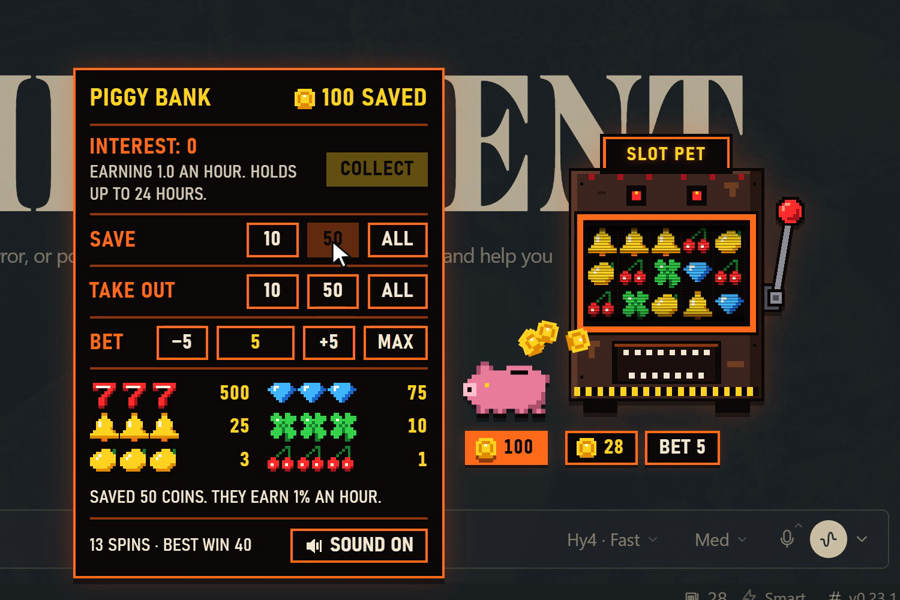
The piggy bank

The rules

The screen is five reels wide and three rows tall, and every cell is drawn on its own from 30 stops. Three of the same symbol in a line pays. There are 20 lines: nine across, five down and six diagonal. Lines overlap, so four in a row is two lines and five in a row is three.

SymbolStops out of 30A line pays
Sevens1100 times the bet
Diamonds215 times
Bells35 times
Clovers42 times
Lemons80.6 of the bet
Cherries120.2 of the bet
  • About three pulls in four pay something. Most of those pay less than the bet.
  • A whole row of one symbol pays ten more lines' worth on top.
  • The pay table returns 93.2% of what is bet. Pays are rounded to whole coins, so very small bets pay nothing for cherries.
  • Any bet. Bet any whole number of coins from 1 up to everything in the wallet.
  • The piggy bank. Saved coins earn 1% an hour, worked out from saved timestamps, so time away counts. The pig holds up to 24 hours of interest until you collect it.
  • Never stuck. With no coins anywhere, the machine spots you 20 on the next pull.
  • Spins use crypto.getRandomValues, and the screen is settled before the reels turn.

Sound

The effects are clunks, ticks, a bell and coins from three of Kenney's CC0 packs (Interface Sounds, Impact Sounds, Casino Audio), played at 0.78 speed so they sound low and worn. There are no jingles and no music in the plugin. They are built into desktop/plugin.js and played with Web Audio, only after a click or key press. The full list is in desktop-src/src/sounds/CREDITS.md.

To mute it, open the piggy bank panel and press the Sound button at the bottom. The command palette has the same switch ("Slot Pet: turn sound on or off"), and the choice is remembered.

Building

desktop/plugin.js is an esbuild bundle of desktop-src/.

cd desktop-src && npm ci && npm test && npm run build

The rules are in desktop-src/src/engine.js (pure functions, with tests), the drawings in art.js, the on-screen machine in overlay.js, and the Hermes wiring in plugin.jsx. The package has no agent tools.

Disclosures

No network requests, no model calls, no background processes. The game is kept in Hermes Desktop plugin storage on this machine. Hermes has no plugin area for a floating element, so the plugin adds its own element and style tag to the page and removes both when unloaded.

README from the reviewed commit c672c96; it updates when the author re-pins.
More by tuancookiez-hub

10 plugins by tuancookiez-hub in the catalog.

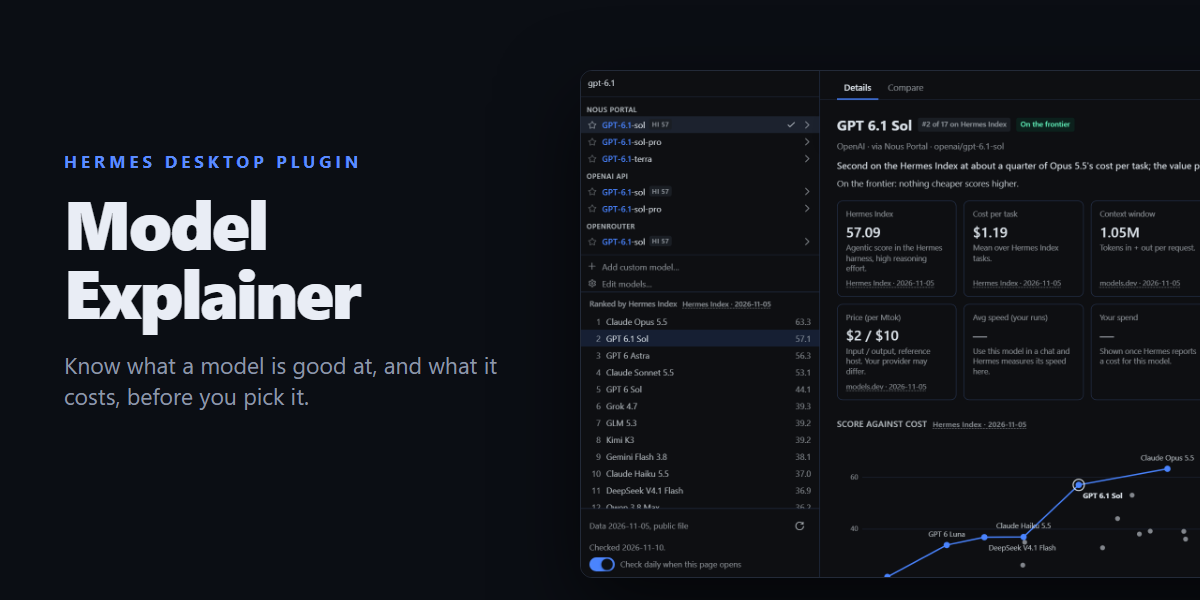
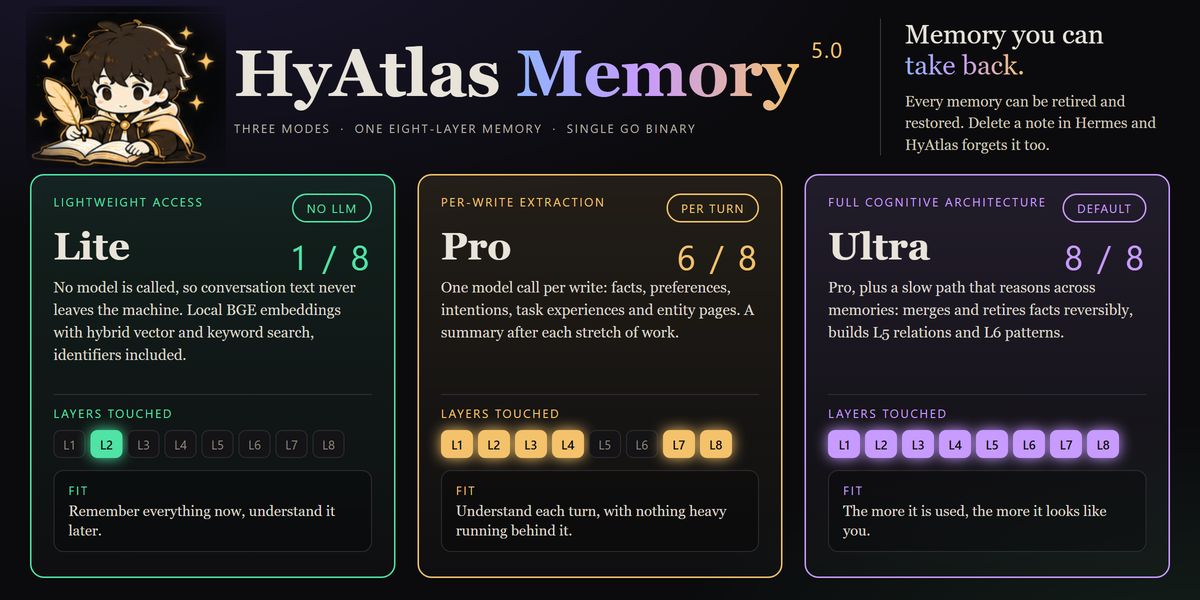
tuancookiez-hubhyatlasHyAtlas 5 — self-hosted 8-layer memory provider backed by a pure-Go single-binary server you run yourself (chromem-go vectors, in-process BGE-small embeddings, hybrid vector + keyword search, bitemporal knowledge graph with source citations). Embeddings, the vector index and stored memories are kept locally. Ships agent tools (hyatlas_status/search/recent/add), a hermes hyatlas CLI, a Desktop pane with a starmap graph view, and a web dashboard. Disclosure — requires the separate hyatlas-go server, installed by the user. The plugin never downloads or bundles it, and it talks only to the configured server (default 127.0.0.1:19528). Embeddings are computed locally; stored memories leave the machine only in the LLM calls described below. Extraction is opt-in and uses an LLM you choose: hermes memory setup asks for any OpenAI-compatible endpoint, model and key, and stores the key in Hermes's .env as HYATLAS_LLM_KEY. The plugin reads that key only through Hermes's get_secret and reads no Hermes credential. A plain key file named by HYATLAS_LLM_KEY_FILE also works; the server reads it on every call, so do not point it at another program's credentials such as Hermes auth.json. The server has no default endpoint and makes no LLM call until the endpoint, the model and a key are all present; while the endpoint and model are set but no key has arrived, /api/v1/status reports llm "awaiting_key". hermes memory setup, the repo installer and the sample launcher pre-fill a free Nous Portal endpoint and model (and setup defaults to ultra mode), but nothing is sent until a key is supplied. A server the plugin starts gets that key in its environment; for a server started another way (the launcher, a service) that reports "awaiting_key", the plugin (at most every 10 minutes) and hermes hyatlas doctor POST the key over plain HTTP to /api/v1/llm/key, only when the configured server host is this machine; the server accepts it only from a loopback address and keeps it in memory only, never on disk. Once configured, each turn's user and assistant text goes to that endpoint (not tool output or context summaries; capped at 12,000 characters), together with up to 5 related stored facts, 3 entity pages and 5 open intentions of that owner so the model can update them instead of duplicating them. In the default ultra mode the server also sends topic-grouped batches of up to 50 stored facts to it every 6 hours (every 20 minutes while earlier batches are still pending) and supersedes (hides but keeps) the facts the model marks merged or stale, recording a reason for each drop. It also records relations corroborated across turns in the local knowledge graph (HYATLAS_CONSOLIDATE_GRAPH=off disables that). Once a day per owner (HYATLAS_CROSS_SCHEMA_EVERY; off disables it) ultra also sends up to 40 of that owner's stored patterns to find up to 3 that hold across topics. In pro and ultra modes it also sends each owner's open intentions, recent summaries and newest facts to rewrite a short Now page, at most every 15 minutes (HYATLAS_NOW_EVERY), and, after a 30-minute pause in an owner's writes (HYATLAS_EPISODE_GAP; off disables it), up to 40 of that stretch's facts to write one episode summary. HYATLAS_RECONCILE=on (off by default) adds a second LLM call per write that sends the new facts together with similar stored ones (including those under user IDs grouped with the owner by HYATLAS_USER_ALIASES) so the model can update, replace or link them; it is meant for a local model. An optional HYATLAS_LLM_FALLBACK_MODEL, tried only when a primary call fails, receives the same text; it is sent the primary key only when it uses the same host. Turns written while the endpoint was unreachable or before a key arrived are extracted later by a catch-up pass (every 10 minutes by default, HYATLAS_CATCHUP_EVERY; rows up to 7 days old, HYATLAS_CATCHUP_MAX_AGE), sending the same text a write would have sent. hermes hyatlas doctor sends one short test prompt ("Reply with the single word OK.") to the endpoint and writes, finds and deletes one test memory. When you replace or remove an entry with Hermes's memory tool, the plugin asks the local server to retire the matching memory (reversible); nothing leaves the machine. HYATLAS_MODE=lite makes no LLM call. Server endpoints that rewrite stored data are off unless the server runs with HYATLAS_ADMIN=on. The spawned server gets an allowlisted environment (OS essentials plus HYATLAS_*), not the agent's keys. auto_start is off by default; when on, Hermes starts the server as soon as it loads the plugin, and a server started by auto_start or hermes hyatlas start keeps running after Hermes exits until hermes hyatlas stop. On Windows, if a hyatlas-go.ps1 launcher is configured, hermes hyatlas start/stop runs it; the repo's sample launcher reads no credentials (since 4.8.0 it no longer reads Hermes auth.json). No telemetry.Communitymemory31tuancookiez-hubenhance-promptA sparkle beside Send that rewrites the composer draft in place without sending it, in a voice you pick under Settings > Plugins > enhance-prompt (brief, structured, concise, detailed, questions, verify, or your own words), deepening it into a clarifier, a task list, then a phased plan on further clicks, with a one-click discard back to the original. Also registers the /enhance slash command and the enhance_prompt tool for the same rewrite from the agent, in the same voice. Draft read and write go through host.composer, so @file and /command chips survive. Disclosure — every click runs one stateless llm.oneshot call on your own gateway with the focused chat's model (the plugin's enhance_prompt auxiliary task, reasoning off, when no chat is focused), followed by a second short call to score the result, so it spends your model credits. It is not an agent turn: no tools run and nothing is written to a session you cannot see. Only the draft and the chosen voice's instructions are sent; the voice setting is read from your own gateway with plugins.manage list. It overrides no model, sends nothing to a third party, never sends the composer message, and carries no telemetry, no credentials and no self-update.CommunityDesktop app6tuancookiez-hubdiscord-tpsShow live tokens-per-second and the active model on your Discord bot's presence. Disclosure — Replaces the Discord bot's public presence with the live tok/s figure and the model name of the most recent API call in this gateway (any platform or chat), visible to anyone who can see the bot; updates at most every interval seconds (minimum 10) over the gateway's existing Discord connection. Reads no credentials and makes no network calls of its own.Communityplatform2tuancookiez-hubmodel-explainerA Models page for Hermes Desktop, plus a button beside the chat model pill that opens it as a pop-up, built around your own model picker: choose a model to see its Hermes Index score, cost per task, context and output limits, price, abilities and your own measured speed and spend, with a score-against-cost frontier chart, and compare up to four side by side. Every value cites a source and date. Disclosure — one GET of a public JSON data file from the author's GitHub repo (raw.githubusercontent.com/tuancookiez-hub/hermes-model-explainer, main branch, so its contents can change after this pin), at most daily and only when the page or pop-up opens (can be turned off; the bundled copy works offline; the file is validated data, never code); reads model.options and the focused session's model and usage figures; writes plugin storage, and switches the chat model only when the user presses Use this model (the same config.set request as the built-in picker, scoped to the open chat). Desktop only: no agent tools, hooks, middleware or env vars.Communitymodels1

Developer Mode

Explore built-in Hermes toolsets and actions.

HermesAgent

Developer?

Create a Hermes extension for Desktop or agent workflows.

Developer Section