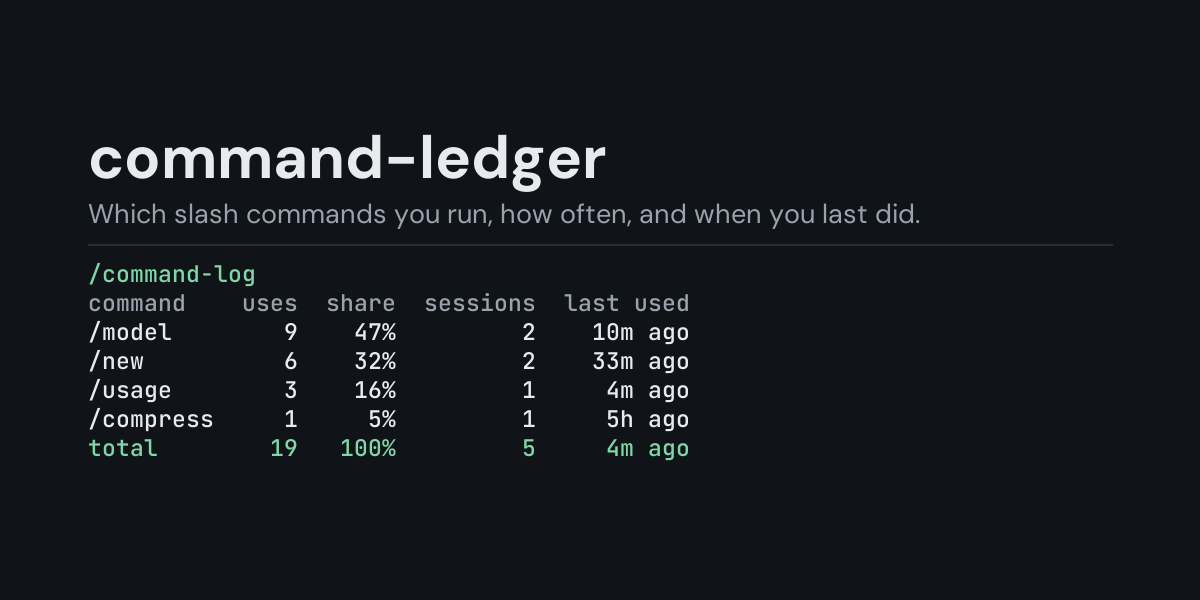
command-ledger
A local ledger of the slash commands you run in Hermes, and a /command-log command that shows
which ones you use most, in how many sessions, and when you last used each.
Hermes has dozens of slash commands (/model, /new, /compress, /usage, /queue, ...), on
the CLI and on every messaging platform, and nothing remembers which of them you actually use.
command-ledger subscribes to pre_command and keeps one row per command, so you can see that you
switch models ten times a day, that /compress never gets used, or which commands you run from
Telegram rather than the terminal.
Install
hermes plugins install command-ledger --enable
Requires Hermes 0.21.5 or newer. No API key, no configuration, no dependencies.
Use
/command-log             last 24 hours, by command
/command-log session     the most recent session that ran one
/command-log all         everything in the ledger
/command-log 7d          the last 7 days (any number of hours or days: 6h, 30d)
/command-log platforms   add to any of the above to group by platform (cli, telegram, ...)
/command-log recent      add to any of the above to list the newest 10 commands instead
/command-log clear       delete the ledger
(/commands is Hermes's own list of the available commands; this plugin counts the ones you
run.)
Example (/command-log, from the end-to-end test on Hermes main: /help, /exit and /help
again in the CLI, then /q later and /usage from Telegram):
Slash commands, last 24 hours:

command  uses  share  sessions  last used
/help       2    40%         1     3s ago
/queue      1    20%         1     0s ago
/quit       1    20%         1     3s ago
/usage      1    20%         1     0s ago
total       5   100%         2     0s ago

The CLI counts Hermes's built-in commands; messaging platforms add plugin commands.
- command is the command's own name: an alias counts as the command it stands for (
/exitas/quit,/qas/queue). - share is the command's part of all the commands in the window.
- sessions is how many different sessions ran it. Grouped by
platforms, the first column is where it ran instead:cli,telegram,discord, ...; grouped bysurfaces,cliorgateway.
/command-log recent lists the newest commands of the chosen window, newest first, with the
alias you typed (same run):
Slash commands, all recorded, newest 5 of 5:

when    command  typed as  platform
0s ago   /usage            telegram
0s ago   /queue        /q  telegram
3s ago    /help                 cli
3s ago    /quit     /exit       cli
3s ago    /help                 cli
A time window counts back from now (/command-log 6h, /command-log 7d platforms,
/command-log 30d recent). The ledger keeps its newest 5,000 rows, so a long window on a busy
install reaches back only as far as those rows do.
What it does not see
Hermes reports a command to plugins just before its handler runs, and only there:
- In the CLI, Hermes's built-in commands. Plugin commands and skill commands are not reported.
- On messaging platforms, built-in and plugin commands. Skill commands are not reported, and
neither is a command sent while a turn is running (such as
/stopor/approve): Hermes keeps those away from plugins on purpose. - An unknown command, or a command a platform's access rules refuse, is not counted.
/command-logitself is not counted: reading the ledger is not using Hermes.
What is recorded
One JSON line per command in <HERMES_HOME>/plugin-data/command-ledger/commands.jsonl (per
profile):
ts, session, surface, platform, command, alias.
session is the first 12 hex digits of a SHA-256 of the session key: enough to tell sessions
apart, without the key itself (on messaging platforms it holds the chat id and the user id).
alias is the word you typed when it was an alias, otherwise empty.
Not recorded: the command's arguments (they can hold model names, file paths, prompts or secrets), the session key, user ids. The hook hands the plugin the arguments and the session key; the plugin drops the arguments and keeps only the hash of the key.
The file is bounded: once it passes 2 MB it is rewritten to its newest 5,000 rows.
Security and footprint
register()only registers one hook (pre_command) and one command (/command-log).- Observer only: it cannot block, change or delay a command. Each hook call appends one line to the ledger, and nothing else.
- No network access, no subprocesses, no downloads, no credentials read.
- Writes only
commands.jsonlunder its own plugin data directory./command-log cleardeletes it. - The hook never raises: if the ledger cannot be written, the failure is logged at debug level and the command runs as usual.
- Standard library only.
Development
python -m pytest tests                                                # unit tests, no Hermes needed
PYTHONPATH=<hermes checkout> python tests/e2e/command_ledger_e2e.py    # Hermes's own command dispatch
hermes plugins validate command-ledger
Changes
- 1.0.0: first release.
MIT licensed.