 tuancookiez-hub
Hermes Maps
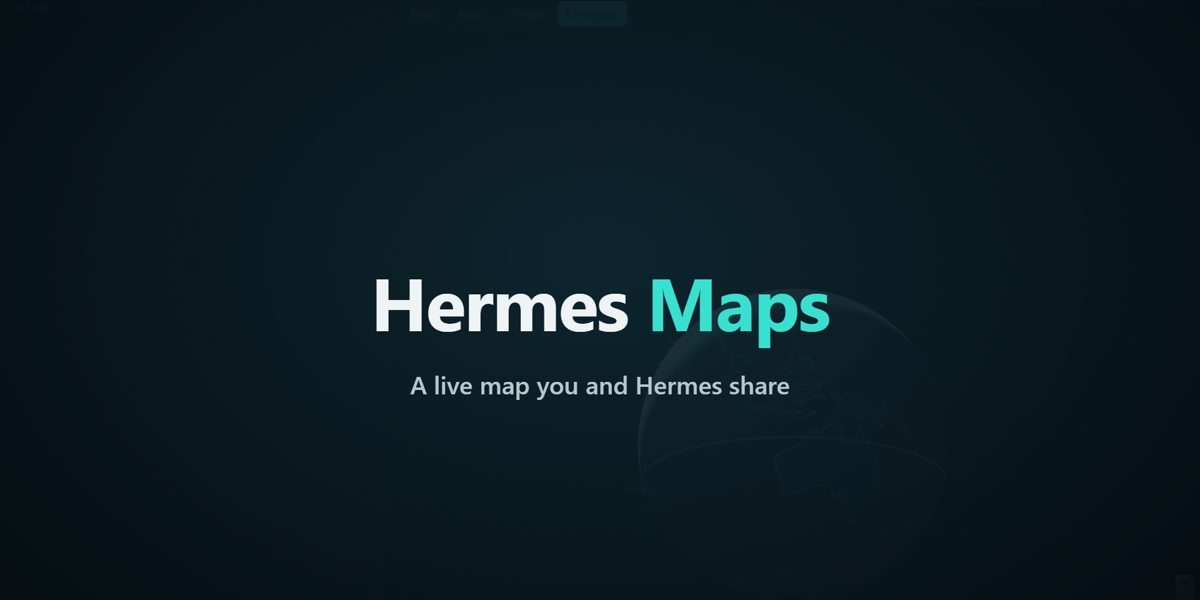
A live map you and Hermes share. Hermes plots what it finds on the web, moves the camera, drops pins and draws routes. You click a point or circle an area, and Hermes receives what you picked.
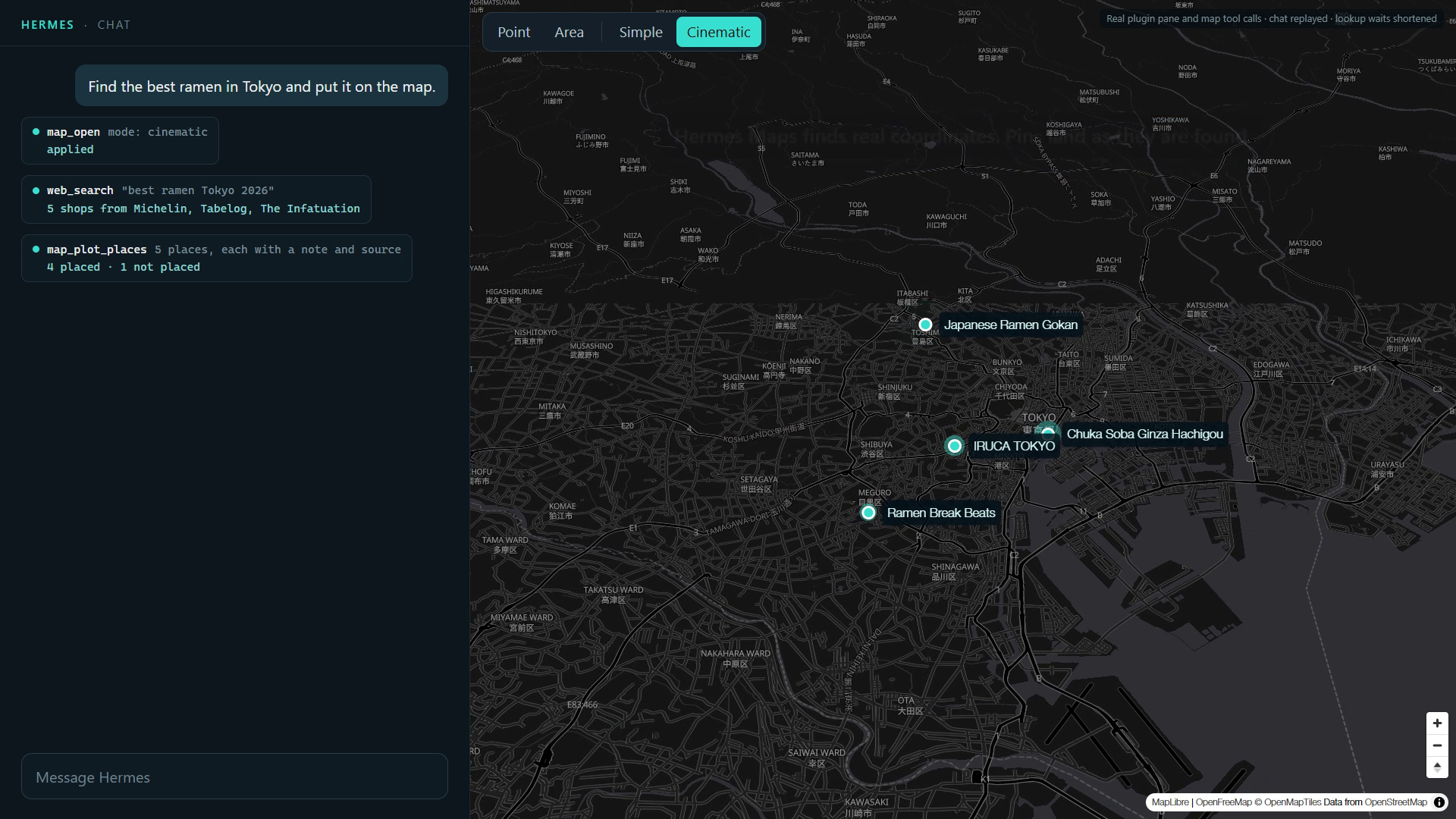
The map docks beside the chat and survives closing the page, so you can work on it with Hermes over several turns.
What Hermes can do
| Tool | What it does |
|---|---|
| map_open | Shows the map, in simple or cinematic mode |
| map_fly_to | Moves the camera to a location, with zoom, tilt and rotation |
| map_add_pins | Drops animated pins, one after another if asked. A pin can carry a note and a source link |
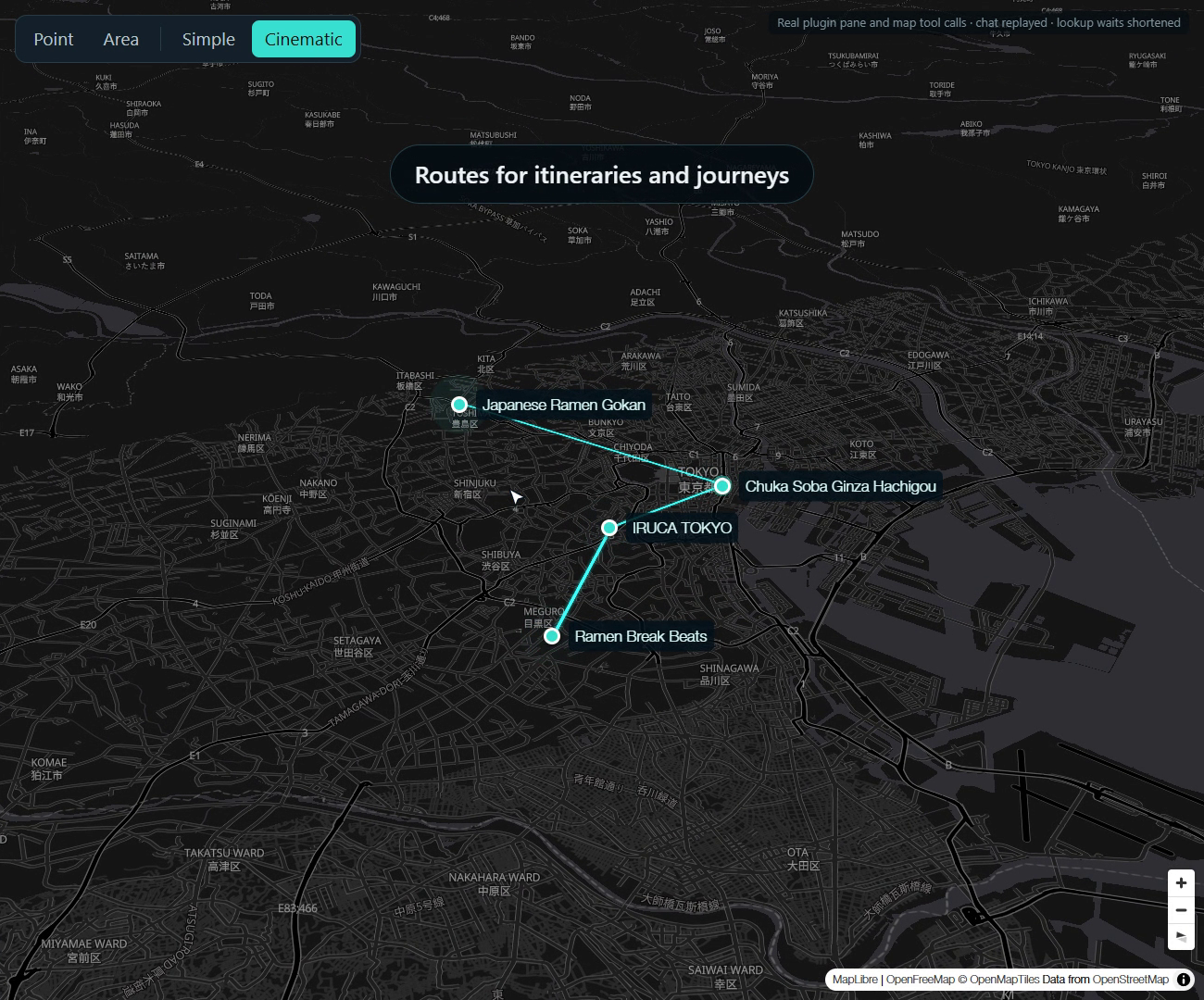
| map_draw_route | Draws a line through pins or coordinates in travel order, and reports its length |
| map_clear | Removes pins, routes, the selection, or all of them |
| map_get_state | Reads the camera, visible area, pins, routes and your latest selection |
| map_plot_places | Plots places found by web search: looks up each one, drops its pin with a note and source, and moves the camera |
| map_search_places | Finds real places and their coordinates, anywhere or in the visible area |
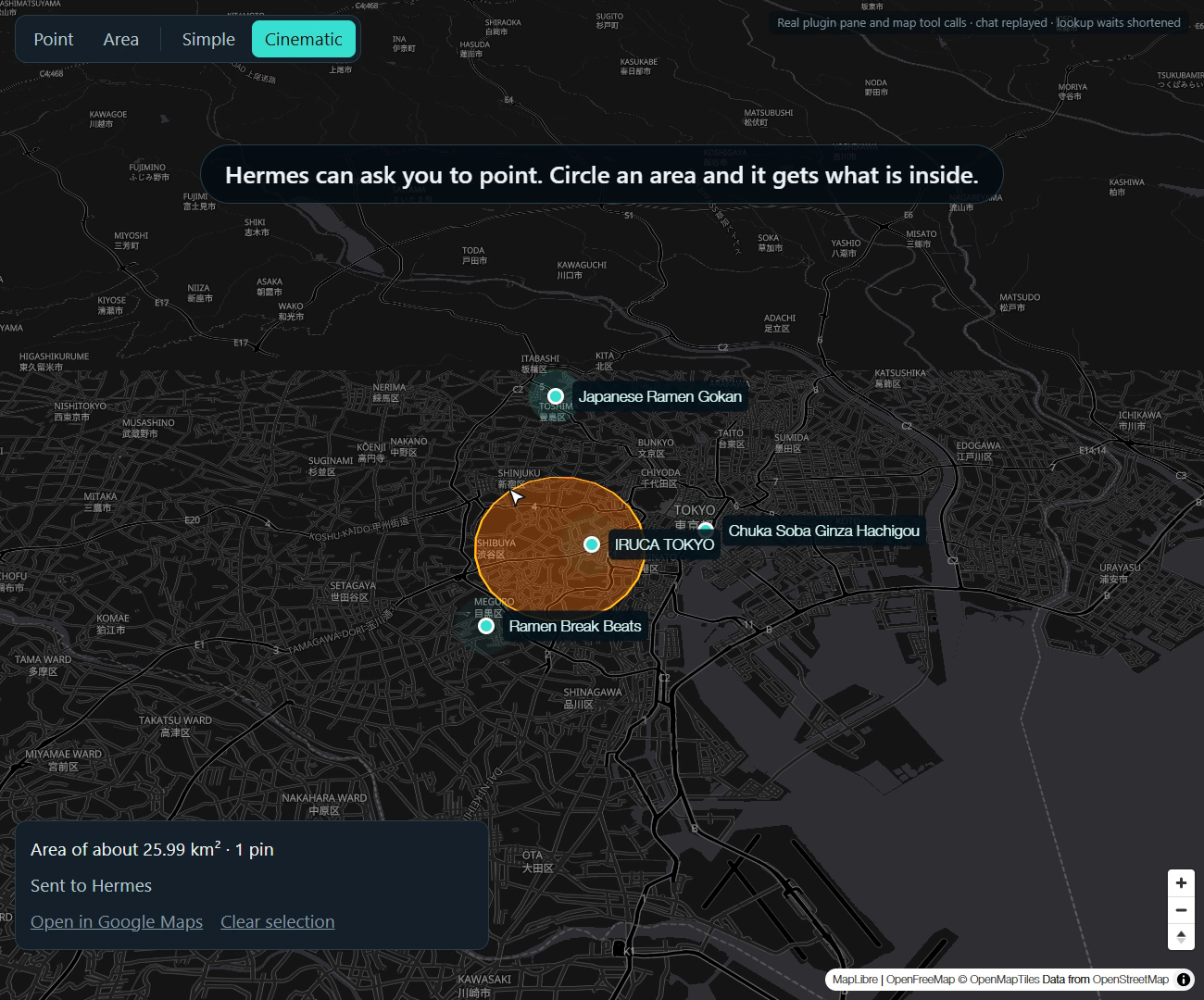
| map_request_selection | Asks you to click a point or circle an area |
Each tool reports what the page confirmed: applied, applied_off_screen (done, but the map is hidden) or queued (no map page has it yet).
What you can do
- Choose Point or Area on the map, then pick a spot or drag around an area.
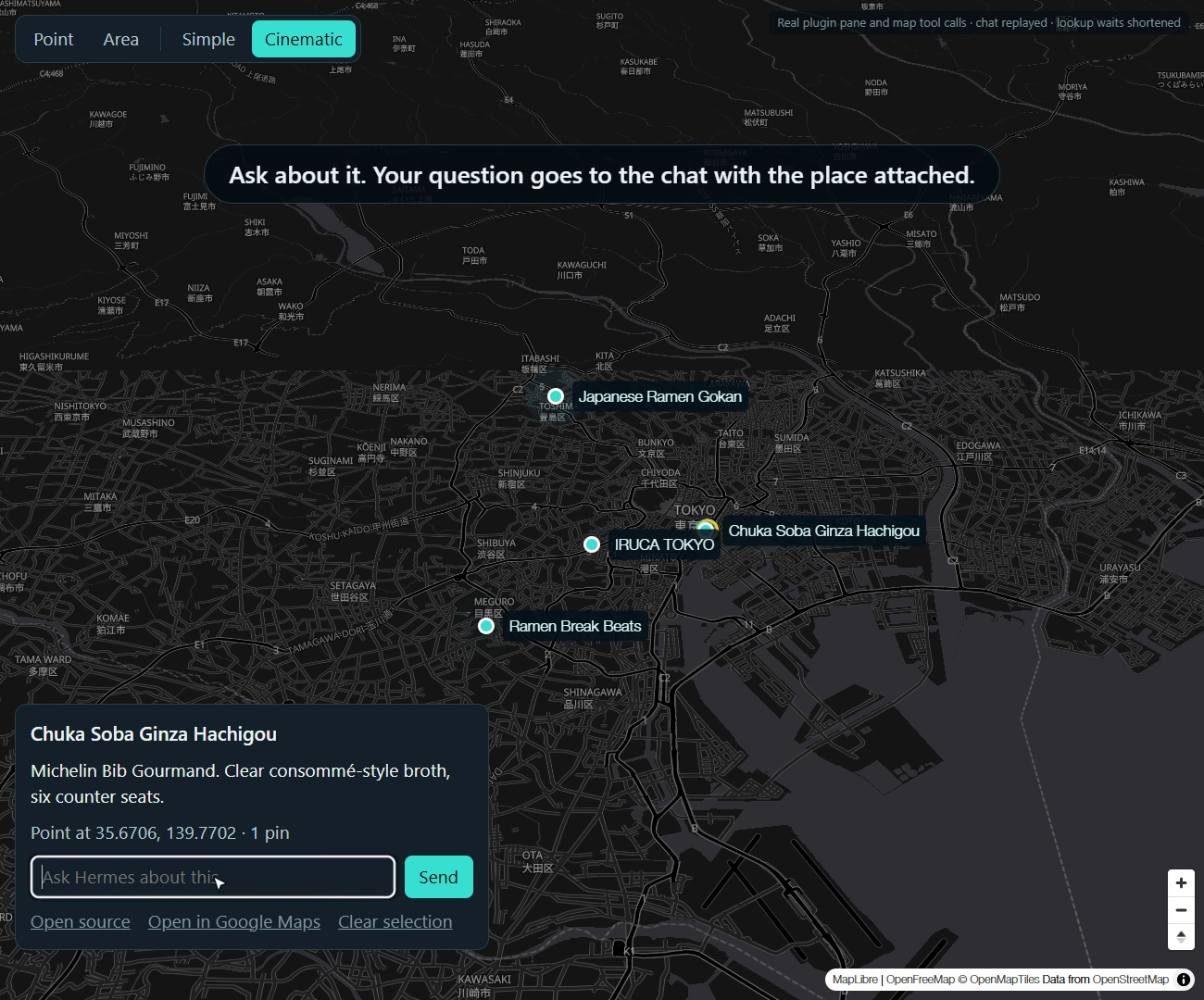
- Click a pin to select it. Its card shows Hermes's note and a link to the source page, when Hermes gave them.
- Type a question on the selection card and send it to the chat.
- Open the selected spot in Google Maps from the selection card.
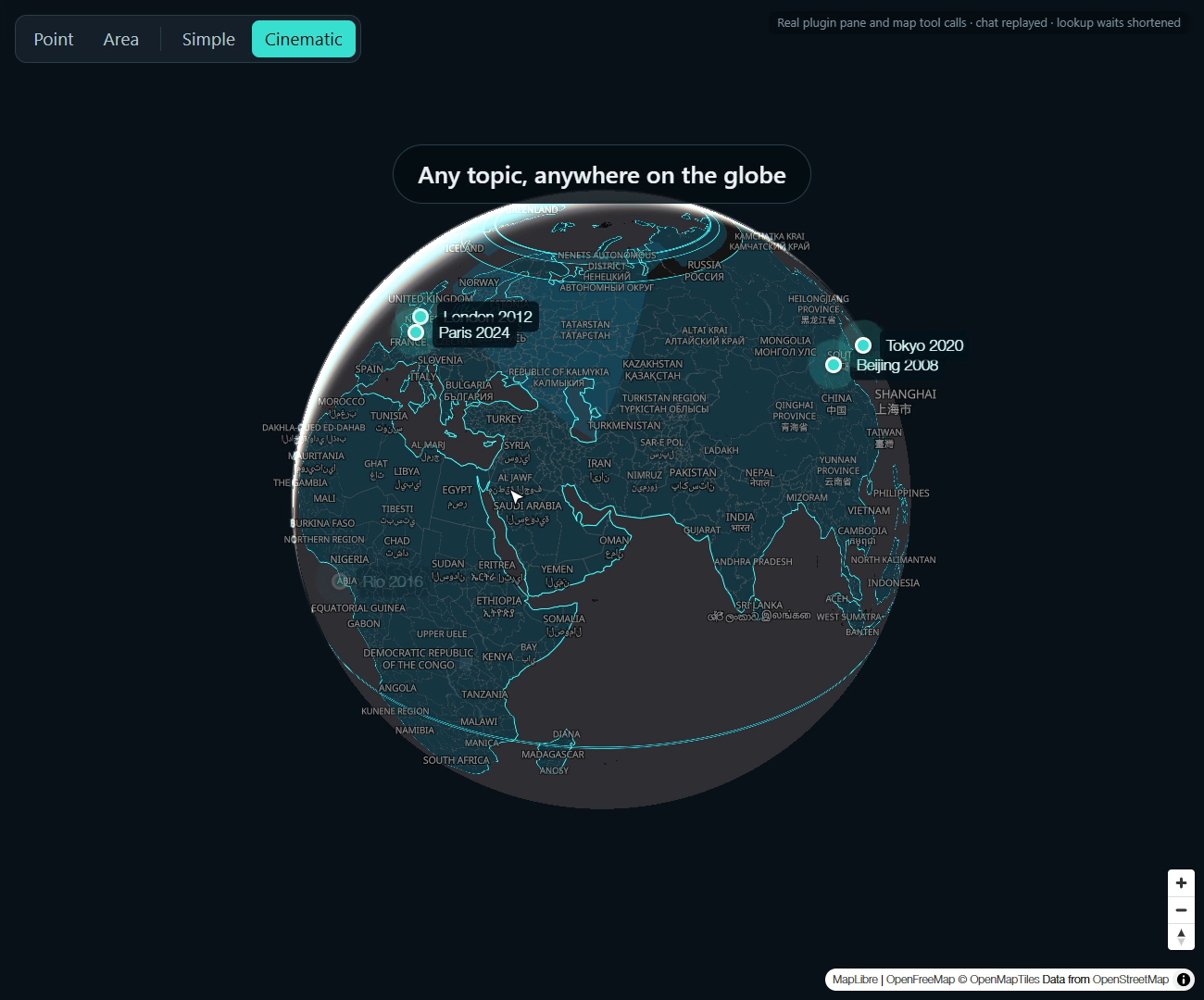
- Switch between Simple, a clean flat map, and Cinematic, a dark globe with long camera moves and pulsing pins.
| | |
|---|---|
|  |
 |
|  |
 |
When Hermes asks for a selection, finishing it sends it to the chat straight away. Otherwise nothing is sent until you press Send.
Finding places
Ask something like "find the best ramen in Tokyo and put it on the map". Hermes searches with its own web_search tool, then passes the names and locations to map_plot_places.
Each place takes several seconds to look up, so pins land one at a time. The screenshots here come from the demo recording, which shortens those waits. A place gets a pin only when both its name and its location match. Anything else comes back to Hermes as not placed, because a missing pin is better than a wrong one.
A route from map_draw_route is a straight line between stops, not a road route, and its length is the straight-line total.
map_plot_places and map_search_places use OpenStreetMap data and need no key. Every result includes a Google Maps link. The data has no ratings or opening hours, and it can miss very new businesses.
Hermes Maps doesn't use Google Places. Google's Maps Service Terms forbid using Places content with a non-Google map, and this map is MapLibre. Google Maps links open Google's own site and bring no Google content back.
Install
Hermes Desktop 0.22.7 or later is required.
hermes plugins install hermes-maps --enable
Then:
- In Hermes Desktop, open Capabilities → Plugins, press Rescan and turn on Hermes Maps.
- Start a new chat so Hermes picks up the tools.
- Ask for something, such as "find the best ramen in Tokyo and put it on the map".
If the map says its backend is not running, restart Hermes Desktop once. To install from this repository instead, use hermes plugins install tuancookiez-hub/hermes-maps.
Hermes needs its own web toolset enabled to search the web. The map tools work without it.
Data, network and cost
- Network: the page loads map styles, tiles and fonts from
tiles.openfreemap.org. Those requests reveal your IP address and the area you view. No key or account is needed. - Place lookup: when Hermes plots or searches, this machine sends the place names and search text to
photon.komoot.io. A visible-area search also sends the map's bounds. No key or account is needed. Requests are at least a second apart, and results are kept in memory for an hour. Komoot doesn't guarantee availability and throttles heavy use, so a search can fail. - Google Maps and source links: these open in your browser only when you click one, and the site sees that request as usual. A source link is whatever web address Hermes attached to the pin; only
httpandhttpslinks are accepted. - Offline: if OpenFreeMap can't be reached in 5 seconds, the map shows a bundled world outline. It has no labels or streets.
- Web search: Hermes uses your own web search setup, and any cost or data sharing there is separate from this plugin.
- Your selections: a selection you send becomes a chat message, so it reaches your model provider like anything you type.
- Stored data: pins, routes, camera, mode and your latest selection are kept in
plugin-data/hermes-maps/data.dbinside your Hermes home. Nothing is stored in the install folder. - Background work: there are no background processes. The page checks for updates every 3 seconds, only while a map is mounted.
- Cost: none. OpenFreeMap may discontinue its service at any time without notice, and the offline outline remains if it does.
Hermes Maps collects no telemetry, reads no credential files and doesn't update itself.
Develop
npm ci --prefix desktop-src
npm run build --prefix desktop-src
npm test --prefix desktop-src
pytest
desktop/plugin.js is generated from desktop-src/, and it bundles MapLibre GL JS 5.24.0. To rebuild the offline outline, run npm run world --prefix desktop-src.
Credits
- MapLibre GL JS, BSD 3-Clause
- Photon by komoot, for place search
- OpenFreeMap, with map data from OpenStreetMap contributors
- Natural Earth, public domain, packaged by world-atlas
License
MIT
README from the reviewed commit 48a8ec7; it updates when the author re-pins.