flabanabba8
PageCast Director
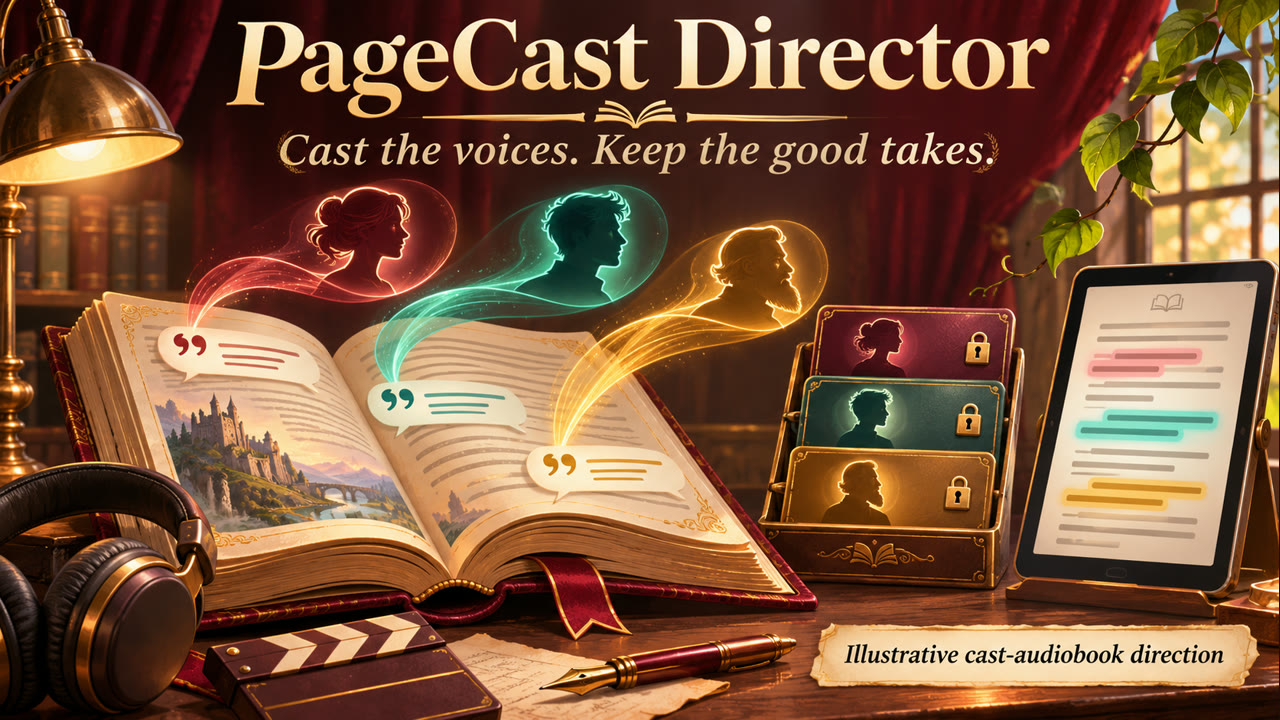
Make an editable cast audiobook from a chapter or EPUB. Assign quotations to
characters, lock their voices, render in resumable batches, and regenerate only
the audio affected by a text or voice change. Export chaptered M4B, WAV or an
offline PageCast Android read-along package. Your current harness model handles
casting and direction; spoiler-safe progress keeps story details private.
At a glance
- Install:
hermes plugins install flabanabba8/pagecast-director, thenhermes plugins enable pagecast-director. - Needs: Hermes 0.22.3 or later; FFmpeg for M4B/WAV export and audiogram clips (the audiogram tool needs an FFmpeg with libass and libx264 and says plainly when it is missing). Speech: built-in Flite voices, or a Higgs server already running on your computer, or your own Inworld, ElevenLabs or Gemini account (keys stored by Hermes). The Android read-along app is optional.
- Internet: Nothing, unless you pick a hosted voice: then passage text and voice choices go to Inworld, ElevenLabs or Google (Gemini, developer key or your own Google Cloud login) and use your credits. The Android app tools can download the app from GitHub after you approve.
- Limits: Linux is the only platform checked. The ElevenLabs and Gemini routes were tested against mocks, not live. Speaker attribution is yours to assign; the parser does not guess characters.
- Credits: Optional voices come from the engines you choose (Flite, Higgs TTS 3, Inworld, ElevenLabs, Google Gemini); their terms apply to what you make. Licence: GPL-3.0-or-later.
- AI assistance: Written with AI coding assistants (Anthropic Claude and OpenAI Codex agents) under the maintainer's direction; what was actually tested is listed in VERIFICATION.md.
There is no web dashboard tab; dashboard/plugin_api.py only serves the Desktop editor page.
The unified Desktop page includes import, passage editing, casting, voice locks,
render progress, previews and export. Enable both the Python plugin and its
Desktop half through Hermes's normal controls. The tools also work through chat.
New in 0.5.0: pagecast_audiogram turns 5 to 180 seconds (15 to 90 suit teasers) of a produced chapter into a captioned MP4 with an SRT beside it, for promoting an audiobook. See "Audiogram clips" below. pagecast_timeline takes an optional chapter to list one chapter with chapter-relative times.
0.4.0: the plugin asks the user which voice to use and never picks one. pagecast_speech_setup lists what this computer has, reads the hardware and suggests online services (Gemini 3.8 Flash TTS, Inworld, ElevenLabs, with dated free-allowance facts) and local models that fit; the saved choice is the only route used. New system engine for installed speech programs. See llmwiki/speech-models.md and VERIFICATION.md.
Workflow
- Import supplied text or an explicit absolute TXT/EPUB path. The source stays
unchanged; PageCast stores an editable copy with source coordinates and quote IDs. - Inspect passages and assign quoted lines to speakers. Narrator is the initial
fallback; the parser does not infer character identities or claim perfect attribution. - Choose voices. Flite provides lightweight English demonstration voices. Higgs
TTS 3 uses your existing local server and optional user-owned reference WAVs.
Inworld TTS-2/TTS-2 Flash, ElevenLabs and Gemini speech use your own hosted
accounts and existing voice IDs/names (for exampleRachelorKore); text
is sent to that provider and consumes your credits or quota. Keys are stored
by Hermes (INWORLD_API_KEY,ELEVENLABS_API_KEY,GEMINI_API_KEY), never
in book data. ElevenLabs and Gemini request shapes follow the vendors'
public docs as of 2026-11-07 and are tested against mocks only, not live. - Render a batch. Call again to resume a partial book; unchanged passages reuse
accepted audio. Voice locks prevent incidental replacement by later casting.
Every render result says which engine and voice each group of passages really
used (speech_used,speech_summary) and whether anything was billed; it never
substitutes another engine. Passengine/voicetopagecast_renderto require
a specific one: the call is refused, with options, if the cast does not match.
Overriding a LOCKED voice (replace_locked=trueonpagecast_voice,
pagecast_series_linkorpagecast_series_voice) asks you for approval with the
character, the locked voice and the voice it would become; without approval the
lock stays, and when nothing would change the result says "lock kept". - Preview an existing rendered passage (
pagecast_previewreturns the file path and
the engine and voice that made it; nothing is played unlessplay=true, which asks
you first), edit a line or voice, and render the change. To hear candidate voices
first,pagecast_voice_auditionmakes one short line per named Gemini voice
(voices: [...], paid, under the Gemini spend guard, nothing added to the book) or,
for Higgs, a few invented reference takes. - Optionally call
pagecast_timelineto obtain paginated passage boundaries from verified cached WAV durations. Metadata-only pages can contain up to 1,000 passages; pages including text are limited to 100. Each page rechecks the entire requested prefix, so long books can take substantial local disk I/O; later passages may still be missing. Setinclude_textonly when you explicitly need the potentially sensitive, untrusted passage text for captions. WAV export concatenates passages in that order, but other encoding and edits can change playback timing. - Export the current revision. Every audio hash is checked; missing or altered
cache entries prevent export. M4B has verified chapter metadata; WAV is mono24kHz.
An explicit pagecast_retry preserves previous takes in the book archive and
invalidates only selected audio signatures. Identical text/voice passages can
share a cached take, so retry reports all passages affected by that shared take.
No speech-generation failure is retried automatically.
New imports retain hashes of their initial segmented passage text. pagecast_book
and pagecast_timeline report source_text_status as unchanged, changed,
or unavailable; older books have no baseline and report unavailable.
The Desktop editor displays this status and warns when text differs or the
baseline is unavailable.
This point-in-time comparison detects current text differences; text restored
exactly to its original value reports unchanged. It does not verify source authenticity,
speaker assignments, voice selection or subsequent concurrent changes. Recheck
the current text and any editorial review before rendering or publishing.
Audiogram clips
pagecast_audiogram makes a short shareable video from one fully rendered chapter. You or the
user choose the passage (the tool never picks a "best" one): list the chapter with
pagecast_timeline (chapter, include_text; paged, times from the chapter start), then give one
start (first_passage_id, start_seconds or first_words) and one end (last_passage_id,
end_seconds or last_words). The span snaps outward to whole passages, so no word is clipped,
and gets a short fade in and out. dry_run shows the exact text, passages and length without writing anything.
- Picture: your own
cover_path(JPG, PNG or WebP; PageCast keeps no cover of its own) shown over a darkened, blurred copy of itself, else a plain dark background. Shapes:vertical1080x1920 (default),square1080x1080,wide1920x1080. H.264 yuv420p and AAC. - Text: book title and chapter, then timed captions. Captions follow the speech engine's word timing when the render kept it (Inworld); otherwise they switch at passage boundaries and long passages are split by character count, and the result says so. The speaker name is shown when the chapter has several voices, under the read-along rule: an identity appears only for passages after its reveal passage, otherwise no name is shown.
waveform: trueadds a waveform strip. - Limits: the chapter must be fully rendered; 5 seconds minimum, 3 minutes maximum. Bad ranges, missing audio or a missing FFmpeg give a plain error and write nothing.
- Output:
audiograms/inside the book's folder in plugin data: the MP4, an SRT with the same captions, and in the result the path, length, exact text, chapter and passage ids, and the rights notice. It runs locally: nothing is uploaded, no speech is generated and nothing is billed. - Rights: the audio and text may be a book you do not own the rights to, and voices may be cloned from reference clips. Post a clip only if you have the rights to the text and to use those voices; the notice is repeated in every result, with the engine credit (Higgs, selected host speech tool) when one applies.
- Book text in the result and on screen is shown as written and may be a spoiler; check the passage before posting.
- Fonts come from the system through fontconfig (the generic "Sans" family, with fallback for CJK and emoji where installed). Caption text goes through a subtitle file, never into an FFmpeg filter, so quotes, colons, percent signs, backslashes and non-Latin text are safe.
Inworld
Set the complete copied Base64 credential in Hermes Settings → Plugins →
PageCast Director → Inworld API credential. Hermes stores it as
INWORLD_API_KEY; the plugin reads it only through agent.secret_scope.get_secret.
The optional key does not disable local Flite/Higgs use when absent. The plugin
never reads the Android app, an Inworld CLI login, or credential files directly.
Select Inworld for Narrator or any character, then choose a current voice ID.
The editor can load the authenticated system-voice catalog; custom voice IDs can
be entered directly. The tool's explicit custom-voice option includes workspace
voices. New speakers inherit the current narrator provider, so an Inworld book
does not unexpectedly require Flite.
Uses synchronous POST https://api.inworld.ai/tts/v1/voice with Basic authorization,
explicit model/voice IDs, BALANCED delivery and LINEAR16 WAV at 48 kHz, normalized
into the book's 24 kHz cache. It does not use the streaming response shape.
The 2,000-UTF-16-unit limit is checked before sending. No Inworld SDK is required.
Synthesis sends passage text and voice IDs to Inworld and may consume credits.
Provider-reported character usage is separate from estimated input units; neither
is an account balance or dollar invoice. Cache replay sends no request. If an
attempt may have been billed but produced no usable cache, another paid attempt
is blocked until an explicit pagecast_retry. Previous usage/takes remain recorded.
Authentication errors, redirects and malformed audio do not trigger automatic
paid retries. Keys never enter cache identities, book data, receipts or logs.
Redirects are never followed.
Sources: synthesis API,
voice catalog.
Requirements
Python 3.11+, FFmpeg/ffprobe, and Flite for the default offline voices. Synthetic
Linux and Windows checks cover import, editing/casting, mocked Inworld rendering,
WAV/M4B export and locking. Flite was not available on the tested Windows
machine; explicitly choose Inworld or a configured Higgs server if it is not
installed. Windows ACLs, live Windows providers and preview playback remain
unverified. mpv is optional for audio-only previews on the Hermes host. No
Python package dependencies. The plugin installs no software and downloads no
models.
For neural speech, configure the already-running loopback Higgs service in plugin
settings. Set the served model ID and revision. Each speaker can use a local
reference WAV (up to5MiB/30 seconds) and transcript. References are sent as immutable
audio data to the loopback server so a changing source file cannot alter a request
after its cache identity was computed. Use only references you have rights to use.
Higgs model licensing is separate. Qualifying creator content requires the Boson
credit; narrated exports include a credit file. Other model uses may require a
separate license. See Higgs model/license.
Reliability and scope
- Audio and its hash receipt are installed together by an atomic directory rename.
Complete staging entries for the same revision are recovered without another
synthesis request after an interrupted installation. - The Linux book database is opened with owner-only permissions before SQLite
initialization; a symlinked database is rejected. Existing regular databases
have their permissions restricted as well. - Every batch is limited to1–100 newly generated passages. Completed passages
survive interruption. Cancellation is checked between bounded speech calls. - Editing the cast or text during synthesis stops that render as stale, preserving
its cached output without attaching it as the current revision's audio. - Export verifies complete audio hashes. Batch resume reuses unchanged size/mtime
receipts to avoid rereading an entire audiobook on every small batch. - Flite runtime bytes, text, effective voice, reference bytes and declared Higgs
model revision contribute to cache identity. Identical reference files at new
paths retain the same audio identity. - Source files are limited to16MiB, EPUB expansion to32MiB/2000 entries, imported
text to1 million characters and20,000 passages. Import is UTF-8 and text-first:
complex layout, illustrations, DRM and scanned PDFs are not supported. - Short English examples are the verification target. Audio format/duration checks
do not establish transcription accuracy or subjective performance. Review speech.
Disclosure
Reads only explicitly named book/reference files plus the installed Flite binary
for cache identity. Refuses configuration/credential directories as book sources.
Calls local Flite, FFmpeg/ffprobe and optional mpv without shell command strings. Audiograms are written only under the book's own plugin-data folder; a cover image is read only from a path you name (private configuration directories and symlinks are refused).
Stores imported book text, cast, voice-reference paths, audio, failure receipts
and archived takes in the active profile's plugin-data/pagecast-director.
Higgs sends passage text, selected voice and optional reference audio/transcript
to the configured loopback endpoint; remote origins, redirects and proxies are
disabled. Explicit Inworld selection sends text/voice IDs over verified HTTPS to
api.inworld.ai and uses the profile-scoped key described above. No telemetry,
automatic provider switch, model download, self-update or publication. Previews
play sound on the machine running Hermes only when play=true is approved (or when
you press Preview in the editor); otherwise they only report the file path.
Book/audio/reference content is not bundled in the plugin.
GPL-3.0-or-later. Adapted from PageCast's
source-preserving segmentation, voice locks, prepared-audio recovery and export
design. This is an independent Python Hermes implementation, not the Android app.
If Inworld voice-list access is denied, enter a known voice ID directly; the voice-list endpoint can require permission even when speech synthesis works. A live four-passage test used Inworld for narration and a local Flite dialogue voice, then exported M4B. Actual voice availability depends on your account.
To import a selected TXT or EPUB produced by another plugin in the active profile, explicitly enable allow_profile_books. Files in unrelated private configuration remain blocked. The Desktop import form exposes the same opt-in.
Putting the app and the audiobook on a phone
pagecast_android_app reports whether adb, one connected phone and the PageCast app
are present and which release is installed versus the latest; download fetches the
latest official release APK and verifies its checksum (nothing is installed).
pagecast_android_install asks for approval, installs the app only if it is missing
(update: true to update, app data kept) and copies an exported read-along package
to the phone's Download folder; then open PageCast, Import book, PC audiobook.
Without adb or a phone it returns plain sideload steps.
PC → PageCast Android read-along
Render on the PC, then choose Export Android read-along (or
pagecast_export with format: "readalong"). Copy the .readalong.zip to the
phone. In the updated PageCast app, use Import book → PC audiobook and select
the ZIP without extracting it. It appears in the normal library. Tap Play or a
passage to listen and read along. No Android speech key, analysis request or
speech generation is needed. The phone retains the copied audio for offline,
background and lock-screen playback, speed control, sleep timer and resume.
The package contains chaptered M4B, source text, passage boundaries and matching
provider word timestamps. New Inworld voices can request timestampType: "WORD"
in the synthesis controls. Existing accepted takes remain usable with passage
highlighting. Normalization or IPA can make returned words differ from source;
those passages also fall back to passage highlighting rather than inventing
word timing. Character/viseme metadata is retained in local render receipts,
but the read-along player uses word or passage timing. Displayed words always
remain the imported book text, independent of performance tags.
Android streams large audio to private storage, validates metadata and the audio
SHA-256, rejects unexpected/duplicate archive entries, and installs a complete
book together. Reimport creates a separate library item and preserves existing
progress. Edit this audiobook in Director, then export a new package; changing
its text in Android would break alignment. Standard library backups exclude
audio: retain the Director ZIP for recovery. Transfer is manual; no account sync
or PC server is required. The optional reader.html inside the ZIP is a fallback
for desktop browsers; Android file managers do not consistently launch it.
Analysis uses your current harness model
Ask the agent running Director to call pagecast_direction_context for the
chosen book. That bounded tool returns source, cast, revision and Inworld-aware
direction instructions. The agent's currently selected model performs character
analysis, casting, scene direction, pronunciation planning and requested rewrites;
Director starts no additional LLM client or hardcoded Gemini analysis request.
Use pagecast_assign and pagecast_voice for cast changes, pagecast_direct for
reviewed performance scripts, and pagecast_edit for explicitly requested source
rewrites. Direction application rejects stale revisions and changed words. Source
edits clear obsolete directions. No analysis tool generates paid speech.
Inworld performance controls
pagecast_voice.inworld_options (also available in the Desktop voice editor)
accepts deliveryMode, speakingRate, language, timestampType,
applyTextNormalization, enhanceGeneration, reasoning, reasoningContext,
previousTexts, enableCustomPronunciation, pronunciationDictionarySettings
and lipsync. These settings participate in cache identity. TTS-2 uses delivery
mode instead of temperature. Flash supports temperature but not steering,
reasoning, delivery mode or saved pronunciations. Controls unsupported by the
selected model are rejected before a request.
pagecast_direct stores a separate performance script. Use one English bracketed
instruction to combine emotion, articulation, pitch, intonation, loudness, pace
and vocal style. Its effect persists until another instruction or [reset].
Nonverbal sounds and breaks do not reset delivery. Place sounds such as [laugh],
[sigh], [breathe], [clear throat], [cough] and [yawn] where appropriate.
Supported word-preserving markup includes <break time="500ms" />,
<lang lang="ja-JP">text</lang>, and <verbatim>ID</verbatim> (normalization ON).
The pronunciations map applies one-word English IPA substitutions such as
{"Crete": "/kriːt/"} to speech while retaining source spelling in the reader.
For recurring names use saved workspace pronunciations with an explicit language,
or select one to three named dictionary resource names using
pronunciationDictionarySettings: {"dictionaries": [{"dictionary": "workspaces/WORKSPACE/pronunciationDictionaries/DICTIONARY"}]}.
Do not combine named dictionaries with enableCustomPronunciation.
Optional provider Reasoning adds its own direction before synthesis; the default
leaves direction to your current harness model. Its returned instruction and
alignment are retained with the take. Existing stock, instant-cloned and
professionally cloned voices can be selected by their existing voice IDs; Director
does not create/train/publish voices or substitute ad-hoc voice designs between
audiobook passages. Streaming, live dialogue, batch jobs and voice provisioning
are separate Inworld workflows, not used by this resumable audiobook renderer.
Implementation sources: the user's Breach Protocol archive of official Inworld
docs from 2026-11-07 (steering, pause controls, custom pronunciation, verbatim,
language tags and native synthesis), cross-checked against the current
Inworld synthesis reference
and steering guide.
Harness plugins and subscription-based analysis
All adapters share this engine. Director never starts a separate LLM client,
selects an analysis model or reads the harness's login tokens. Analysis runs in
the selected harness session and uses its supported authentication, subscription
and usage limits. TTS credentials and speech charges remain separate.
| Harness | Integration |
|---|---|
| Claude Code | Native .claude-plugin/plugin.json, shared skill and bundled local MCP server. Test with claude --plugin-dir /absolute/path/to/pagecast-director. |
| Codex | Portable plugin.json / mcp.json, compatibility manifest, shared skill, and PageCast's local marketplace. Install through the local plugin marketplace. |
| Pi | Native Pi package: pi install /absolute/path/to/pagecast-director. Its extension registers the shared MCP server and its package exposes the skill. |
| OpenCode v2 | Local MCP tools plus the shared skill. Run opencode mcp add pagecast-director -- python3 /absolute/path/to/pagecast-director/server.py from the desired project. Add the skill under .opencode/skills/pagecast-director/SKILL.md or a supported shared skills directory. |
| Hermes Agent | Native Python plugin (plugin.yaml), Hermes-scoped secrets/storage, shared registered skill and Desktop page. |
For manual Codex MCP setup, codex mcp add pagecast-director -- python3 /absolute/path/to/pagecast-director/server.py works without a marketplace.
adapters/configure.py prints an OpenCode v2 configuration fragment with resolved
paths; it does not edit your configuration. Python 3.11+ and the existing speech
and encoding programs are required. Set PAGECAST_PYTHON for Pi when Python is
not named python3. For other MCP clients, configure the desired Python command.
Standalone adapters use PAGECAST_DATA_DIR or
~/.local/share/pagecast-director. Set that directory explicitly to share a
library across harnesses, including a selected Hermes profile's Director data
folder. Keep simultaneous operations bounded; file locks and revision checks
prevent conflicting edits. User-supplied model/backend settings can be loaded
with server.py --settings /absolute/path/to/settings.json. Inworld defaults to
TTS-2; PAGECAST_INWORLD_MODEL can explicitly select TTS-2 Flash. No settings
file is loaded implicitly from the current working directory.
Standalone speech credentials come only from the server's inherited
INWORLD_API_KEY, ELEVENLABS_API_KEY and GEMINI_API_KEY environment variables.
Configure them privately through your harness/OS launch environment; do not put
real keys in a committed MCP configuration. Native Hermes retains its profile
secret resolver. No LLM API credential is required by Director.
The local MCP adapter implements stdio tools, not a public HTTP server. It does
not ask the host to sample another model. Its bounded worker pool accepts
cancellation while speech is in progress; cancellation takes effect after the
current speech request. The CLI also supports --call TOOL --arguments-file FILE
and --list-tools for local diagnostics without a harness or model.
These are local development/distribution packages. Public marketplace submission,
clean installs on additional platforms and subscription-provider compatibility
must be verified for the release targets. Publishing requires a separate public
content/configuration audit; no release is published by this workflow.
References: Claude plugin manifests,
OpenAI plugin packaging,
OpenAI local MCP packaging,
Pi extension API,
OpenCode v2 MCP.
Spoiler-safe casting
The Desktop starts with pagecast_overview: counts, render state and neutral
Voice labels, without story text, private identities, casting reasons or
performance context. Opening the script is explicit. Assignments return opaque
role IDs. pagecast_cast_note stores identities and reasoning privately, with a
source reveal boundary. pagecast_reading_position advances the visible cast
only when the user explicitly says where they have read; render completion never
advances it. Legacy named roles are masked in public views too.
The Android package excludes casting notes. Its playback speaker label can reveal
an identity only in passages after the source reveal boundary; until then it uses
the neutral role label. Full book text necessarily travels with an offline book,
just as it does in an EPUB. Do not open future chapters if avoiding spoilers.
Agent instructions require ordinary chat to contain technical status and counts,
not plot summaries, future names, relationships, quotations or explanations of
casting choices. A masked identity may need a different performance voice before
its reveal so the casting itself does not give away the twist. Source-analysis
tool results and the private notes can still appear in harness logs or expanded
tool views. This is not a guarantee that external harness logs are invisible.
Verified Inworld connection compatibility
The tested PC route had intermittent TLS setup failures. The Inworld-only client
uses verified TLS 1.2 with normal TCP buffering and at most three bounded
connection/handshake attempts before sending any HTTP request. Certificate or
hostname verification failures stop immediately. Once a synthesis request may
have been sent, it is never retried automatically; the paid-attempt guard remains
in force. No system TLS settings or other providers are changed.
A user-authorized live TTS-2 sample succeeded: 4.37 seconds and 93 provider-reported
characters. Its returned timing contained silent steering tags, whitespace and an
empty trailing token; the reader mapper now handles that shape. A word-timed
read-along package was made from the accepted take without another synthesis.
Gemini 3.8 on Vertex with stored designed voices
Select gemini_route: vertex in the private Hermes plugin settings and configure
gemini_project with your own Cloud project. Since 0.3.5 the plugin does not read
the gcloud login or any other tool's credential file and never sees or refreshes a
Google token: Hermes holds the sign-in (catalog rule 11). One-time setup: enable the
Vertex AI API and create an OAuth client of type "Desktop app" in your project; add it
to this Hermes profile's .env as PAGECAST_GOOGLE_CLIENT_ID and
PAGECAST_GOOGLE_CLIENT_SECRET; then run hermes auth add pagecast-director:google
in a terminal (browser consent for the cloud-platform scope; the token goes only to
aiplatform.googleapis.com). hermes auth logout pagecast-director:google removes it.
Without the sign-in a Vertex request is refused before anything is sent. The Vertex
route needs Hermes 0.22.3 or later and works only inside Hermes; the other hosts
(Codex, Claude Code, Pi, the stand-alone server) use the Developer API key route.
No project, token or credential is bundled.
The default Developer API route remains available for existing users.
Vertex sends unchanged source words through global generateContent, accepts WAV
directly and does not send Inworld performance markup. Cache identity includes
the route and project so artifacts from another route are not reused. The
gemini_max_usd setting defaults to a conservative USD 3 per-book spending guard:
usage is recorded privately at full list rates. Each speech request first reserves a
safe estimate from its text length (about USD 0.005 for a line, about USD 0.13 for the
largest 2000-character request); a request that would pass the guard is refused before anything is sent,
and the message gives the estimate, the amount used and the guard. Uncertain requests
keep their reservation. A short chapter fits a guard of USD 0.10. Promotional credits are not assumed. This is a local guard,
not an account invoice. Failed or uncertain speech calls are never retried
automatically. Export and Android read-along import use the existing workflow.
Gender-verified continuation casting
Verify every character's gender from explicit source evidence or reliable
character references, and record the evidence privately; pitch, a name or the
performer's gender is not proof. Returning Higgs voices use an approved,
complete single-speaker reference clip plus its exact transcript. Keep separate
provider cast variants so preparing Higgs does not invalidate accepted Gemini
audio. An unresolved cast can place a spoiler-safe render-block.json hold in
the book folder: overview exposes the hold and rendering refuses to start.
Remove it only after the pending roles have approved voices. Reference preparation
is distinct from a successful Higgs clone audition or chapter generation.
Higgs control bans and decoder padding
long_pause, forced slow-delivery controls and whispering are rejected before a
Higgs request is transmitted. The skill uses the applicable Breach Protocol
chunking and transcript-check safeguards while preserving audiobook source text.
For an unexpectedly long Higgs take, the renderer can remove only sustained
near-silent trailing padding. Detection is insensitive to a constant DC bias;
speech samples and a 300 ms tail are preserved. The original raw take is archived,
and padding alone does not cause a new speech request. This signal check is not a
semantic or voice-similarity guarantee; transcript review remains separate.
Resource-aware first run (maintained source)
The agent reads pagecast_setup, asks in ordinary chat about local hardware,
installed models/runtimes, remote resources, subscriptions, verified API credits,
privacy and maximum API spending per book/month, and saves confirmed non-secret
answers privately in the profile database. It reuses those answers on later runs.
Existing locked voices and accepted audio are preserved. Setup itself performs
no model download, provider request or billing change.
The quality-oriented shortlist starts with Gemini 3.8 Flash TTS; free/lightweight
local options include Kokoro-82M and the legacy KittenTTS Nano family. These are
recommendations, not mandatory backends or a universal quality ranking. Verify
the exact variant's current hardware, language, license, pricing and entitlement.
KittenTTS 2 has different resource needs from legacy Nano. Primary references:
https://ai.google.dev/gemini-api/docs/speech-generation
https://huggingface.co/hexgrad/Kokoro-82M
https://github.com/KittenML/KittenTTS
engine: host uses a user-selected registered native speech tool and explicit
provider/runtime/model revision. Configure host_tts_tool,
host_tts_backend_id, host_tts_arguments (JSON {text}, {voice}, {model}
placeholders) and its local PCM WAV result field. Authentication and approvals
stay with that tool. No provider fallback occurs. Compatible mono24k16bit WAV
needs no converter; other PCM requires an installed FFmpeg or selected converter.
Required tool/configuration and a working backend remain necessary; this source
change does not install or claim to have tested Kokoro, Kitten or every host.
Saved budgets do not enable billing or enforce a universal monetary cap. The
agent must verify quotas and a conservative enforceable per-book/month spending
guard before paid batches; otherwise that route is blocked. Zero means no new
API charges. This does not change the existing native Vertex per-book ledger.
Bundled LLM wiki
llmwiki/index.md equips the active host model with curated provider/runtime
knowledge and sanitized PageCast project lessons. It separates native Director
adapters, Android project evidence, research-only options and unsupported routes.
pagecast_knowledge reads fixed topics in bounded pages without a profile,
provider call or filesystem access by the client. MCP initialize includes the
short index; native skill guidance reads the index before setup. Details load
only as needed. The wiki is shipped content, not installed speech support.
README from the reviewed commit 8f70411; it updates when the author re-pins.