uuid-ref
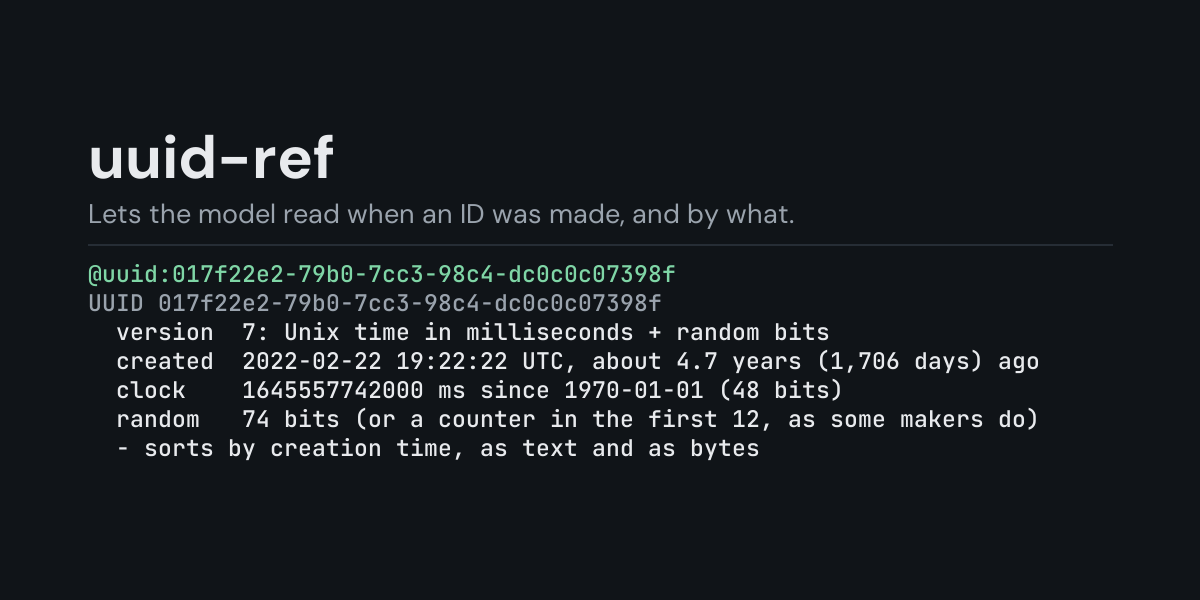
@uuid: references for Hermes: put @uuid:017f22e2-79b0-7cc3-98c4-dc0c0c07398f in a message
and Hermes replaces it with what the identifier says about itself, decoded on your machine: its
version and variant in words, the creation time a v1, v6, v7 or ULID carries (in UTC, with how
long ago), the clock sequence and node of a v1 or v6 and whether that node is a real network
card address, the local id of a v2, and the Nil, Max and RFC namespace UUIDs by name.
Many IDs carry a timestamp. A v7 UUID or a ULID in a log line or a database row tells when that
row was created, a v1 also tells which machine made it, and a model reading the hex by eye gets
the bit layout wrong. With @uuid: it gets the exact fields, read the way RFC 9562 lays them
out.
Install
hermes plugins install uuid-ref --enable
Requires Hermes 0.21.5 or newer. No API key, no configuration, no dependencies.
Use
@uuid:017f22e2-79b0-7cc3-98c4-dc0c0c07398f       a UUID in its usual form
@uuid:{919108F7-52D1-4320-9BAC-F847DB4148A8}     braces, upper case, no hyphens, urn:uuid: also work
@uuid:01ARYZ6S41TSV4RRFFQ69G5FAV                 a ULID
@uuid:"<id> <id> <id>"                           up to 10 identifiers, compared by creation time
Several identifiers go in quotes separated by spaces, or unquoted separated by commas.
Example, from the end-to-end test (a one-shot hermes chat turn). The message
When were these rows created? @uuid:017f22e2-79b0-7cc3-98c4-dc0c0c07398f and @uuid:01a1789b-6bb5-73d1-8454-b533b40053b2
reaches the model as the message followed by:
UUID 017f22e2-79b0-7cc3-98c4-dc0c0c07398f
  version  7: Unix time in milliseconds + random bits
  variant  RFC 9562 (the standard layout)
  created  2022-02-22 19:22:22 UTC, about 4.7 years (1,706 days) ago
  clock    1645557742000 ms since 1970-01-01 (48 bits)
  random   74 bits (or a counter in the first 12, as some makers do)
Notes
  - sorts by creation time, as text and as bytes

UUID 01a1789b-6bb5-73d1-8454-b533b40053b2
  version  7: Unix time in milliseconds + random bits
  variant  RFC 9562 (the standard layout)
  created  2026-10-26 14:26:54.005 UTC, 11 seconds ago
  clock    1793024814005 ms since 1970-01-01 (48 bits)
  random   74 bits (or a counter in the first 12, as some makers do)
Notes
  - sorts by creation time, as text and as bytes
What each kind shows:
- v1 and v6 (time-based): the creation time to 100 nanoseconds, the clock sequence, and the node. A node with its multicast bit set is random; one without it looks like a network card (MAC) address, and the notes say the UUID tells which machine made it.
- v7: the creation time to the millisecond.
- v2 (DCE Security): the local id (a POSIX uid or gid) and its domain, and the time to within about 7 minutes, since the id takes the place of the low clock bits.
- v3 and v5 (name-based): that they are MD5 or SHA-1 hashes of a namespace and a name, which cannot be read back.
- v4 (random) and v8 (custom): the version, nothing more to read.
- ULID: the creation time to the millisecond, and the same 128 bits written as a UUID, the way a UUID database column stores a ULID.
- The Nil and Max UUIDs, the four namespace UUIDs from RFC 9562 (DNS, URL, ISO OID, X.500 DN), and UUIDs of the NCS, Microsoft and reserved variants, whose bits are not read further.
A time in the future (more than a minute ahead) or before 1970 is noted: the maker's clock was off, or the bits were not made from a clock. With several identifiers, a last section says how far apart their creation times are.
Errors say what is wrong (a UUID has 32 hex digits (36 characters with hyphens); ... has 31,
ULIDs leave out I, L, O and U) and reach the model under Hermes's context warnings.
Suggestions
In the TUI and the desktop app, @uuid: followed by an identifier previews it as a suggestion
(v7, created 2022-02-22 19:22:22 UTC, about 4.7 years (1,706 days) ago, v4, random); the
suggestion inserts the identifier in its usual form. The classic CLI does not show reference
suggestions.
What it does not do
uuid-ref reads the bits of the identifier you give it. It does not look anything up: a v3 or v5 name cannot be recovered, a MAC address is not matched to a vendor, and a creation time is only what the maker's clock said.
Security and footprint
register()only registers one context reference provider (@uuid:).- It reads nothing but the text of the reference itself and the system clock, and only when you
write
@uuid:in a message. - No network access, no subprocesses, no downloads, no credentials read, no files read or
written. The plugin keeps no copy of the identifiers, but the
@uuid:reference and the decoded text become part of the message sent to your model provider and saved in the session history. - Standard library only (
re,datetime,fractions).
Development
python -m pytest tests                                          # unit tests, no Hermes needed
PYTHONPATH=<hermes checkout> python tests/e2e/uuid_ref_e2e.py   # real hermes chat turns and TUI suggestions
hermes plugins validate uuid-ref
Changes
- 1.0.0: first release.
MIT licensed.