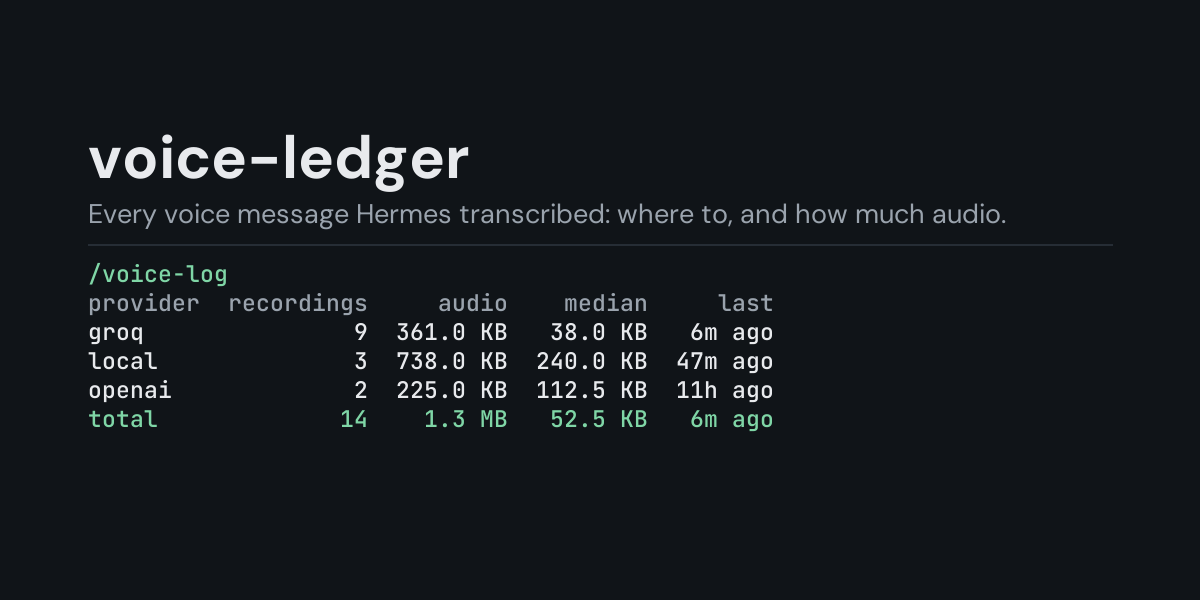
voice-ledger
A local ledger of the voice messages and recordings Hermes turns into text, and a /voice-log
command that shows how many there were, where they came from, which speech-to-text provider and
model handled them, and how much audio that was.
Hermes transcribes a voice message you send it on Telegram, WhatsApp, Discord or another
messaging platform, and a recording you make in the CLI's voice mode. voice-ledger subscribes to
pre_transcription, which Hermes fires once per recording right after it has chosen the
speech-to-text provider, and keeps one row per recording. You can see afterwards that you sent
forty voice messages this week, that they all went to a hosted provider rather than your local
model, or how much audio a paid provider received.
Install
hermes plugins install voice-ledger --enable
Requires Hermes 0.21.5 or newer. No API key, no configuration, no dependencies.
Use
/voice-log             last 24 hours, by speech-to-text provider
/voice-log all         everything in the ledger
/voice-log 7d          the last 7 days (any number of hours or days: 6h, 30d)
/voice-log models      add to any of the above to group by model
/voice-log sources     add to any of the above to group by where the audio came from
/voice-log languages   add to any of the above to group by configured language
/voice-log days        add to any of the above to group by day, newest first
/voice-log recent      add to any of the above to list the newest 10 recordings instead
/voice-log recent 25   the newest 25 instead (1 to 100)
/voice-log clear       delete the ledger
Example (/voice-log, the plugin's own summary of a sample day: six voice messages through the
gateway to Groq and two CLI voice-mode recordings on a local model):
Transcribed recordings, last 24 hours:

provider  recordings     audio    median    last
groq               6  248.0 KB   35.2 KB  4m ago
local              2  490.2 KB  245.1 KB  2h ago
total              8  738.3 KB   45.8 KB  4m ago

Counted when Hermes hands a recording to the speech-to-text provider, so one that then
fails to transcribe still counts.
- provider is the speech-to-text provider Hermes chose (
local,groq,openai,mistral,xai,elevenlabs,deepinfra,local_command, atype: commandprovider's name, or a plugin provider's name). - recordings counts recordings. A long recording that Hermes splits to fit a provider's upload limit is still one recording.
- audio is the total size of the files handed to the provider, median the typical size, and last how long ago the newest one was.
/voice-log recent lists the newest ten recordings of the chosen window, newest first
(/voice-log recent 25 lists 25, up to 100). From the same sample:
Transcribed recordings, last 24 hours, newest 3 of 8:

when         source  provider    model  language     audio
4m ago      gateway      groq  default      auto   30.2 KB
25m ago     gateway      groq  default      auto   51.4 KB
2h ago   voice_mode     local     base        en  187.5 KB
- source is where the audio came from as Hermes labels it:
gatewayfor a voice message from a messaging platform,voice_modefor the CLI microphone,unknownwhen the caller gives no label (for example Discord voice channels). - model is the model asked for at that point;
defaultmeans the provider's model from your config (or its built-in default), which Hermes fills in afterwards. - language is the language set for that provider (
stt.<provider>.language),autowhen none is set.
/voice-log days puts one day on each line, newest day first; days are your computer's local
calendar days. A time window counts back from now (/voice-log 6h, /voice-log 7d sources,
/voice-log 30d days). The ledger keeps its newest 5,000 rows, so a long window on a busy
install reaches back only as far as those rows do.
What it does not see
- Whether the transcription worked: the hook fires before the provider runs, so a recording the provider then fails on still counts, and the ledger has no transcript to judge.
- Audio Hermes never hands to a provider: speech-to-text turned off (
stt.enabled: false), or a file Hermes rejects before choosing one (unsupported format, unreadable or protected path). When the configured provider is unusable (for example a missing API key), Hermes reports the provider asnoneand the recording is counted under that name.
What is recorded
One JSON line per recording in <HERMES_HOME>/plugin-data/voice-ledger/voice.jsonl (per
profile):
ts, source, provider, model, language, bytes.
Not recorded: the audio, the file's path or name (it can name the chat or the sender), the transcription prompt (vocabulary hints can be private) and the transcript, which the hook never sees. The size comes from the file system; the audio file is never opened.
The file is bounded: once it passes 2 MB it is rewritten to its newest 5,000 rows.
Security and footprint
register()only registers one hook (pre_transcription) and one command (/voice-log).- Observer only: the hook always returns
None, so it never changes the provider, model, language or prompt Hermes uses. Each call reads the recording's size from the file system and appends one line to the ledger, and nothing else. - No network access, no subprocesses, no downloads, no credentials read.
- Writes only
voice.jsonlunder its own plugin data directory./voice-log cleardeletes it. - The hook never raises: if the ledger cannot be written, the failure is logged at debug level and the transcription goes ahead unchanged.
- Standard library only.
Development
python -m pytest tests                                             # unit tests, no Hermes needed
PYTHONPATH=<hermes checkout> python tests/e2e/voice_ledger_e2e.py   # Hermes's own STT dispatcher
hermes plugins validate voice-ledger
Changes
- 1.0.0: first release.
MIT licensed.