hermes-taskbar-badge


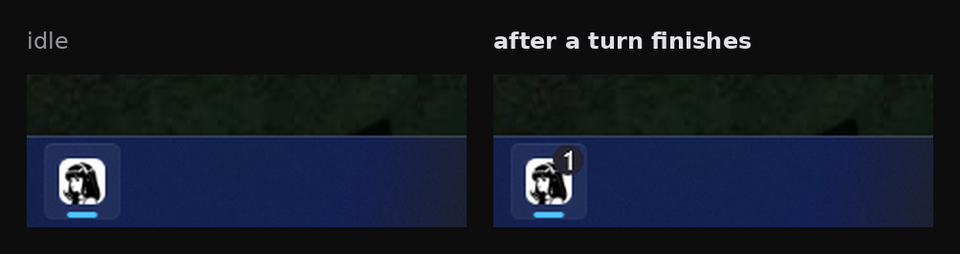
A Hermes Desktop plugin that puts a badge on the Hermes taskbar button when a turn finishes.
Install
Hermes Desktop loads desktop plugins from its own desktop-plugins folder. Open Capabilities -> Plugins and use Install from Git with BrokeSkill/hermes-taskbar-badge.
To place the file yourself:
git clone https://github.com/BrokeSkill/hermes-taskbar-badge.git /tmp/hermes-taskbar-badge
mkdir -p ~/.hermes/desktop-plugins/hermes-taskbar-badge
cp /tmp/hermes-taskbar-badge/desktop/plugin.js ~/.hermes/desktop-plugins/hermes-taskbar-badge/plugin.js
On Windows the folder is %LOCALAPPDATA%\hermes\desktop-plugins\. The app hot-reloads desktop plugins on save, so there is no restart.
Usage
A finished turn raises the badge while the window is in the background. Returning to the window, or opening another session, clears it.
Requirements
- Windows. The badge renders on the taskbar there.
- Hermes Desktop with the
message.completeevent andhost.state.focusedStoredSessionIdin the plugin SDK.
Contributing
Issues and pull requests are welcome.
License
MIT. See LICENSE.