jwt-ref
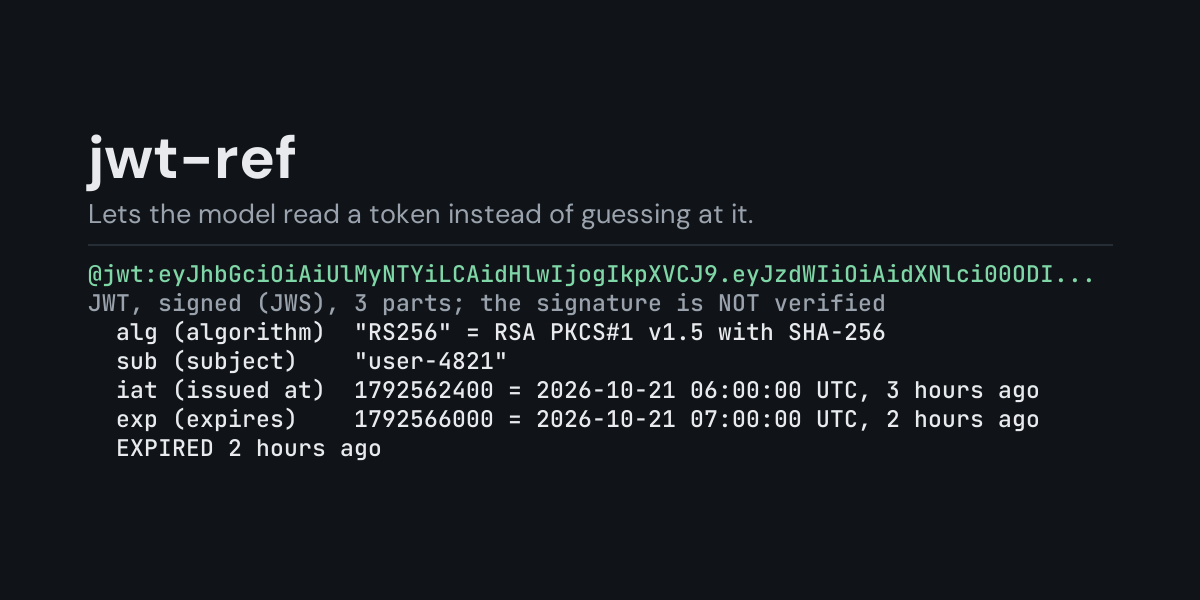
@jwt: references for Hermes: put @jwt:eyJhbGciOi... in a message and Hermes replaces it with
the token decoded on your machine: the header with the algorithm in words, every claim, the
time claims (exp, nbf, iat, auth_time) in UTC with how long ago or how far ahead they
are, whether the token has expired and how long it was meant to live, and notes on things worth
a second look.
A JWT in a log line, an Authorization header or a failing API call is unreadable as it
stands, and a model decoding base64url in its head gets claims and dates wrong often enough to
matter. With @jwt: it gets the exact contents, and "is this token expired?" is answered by
the clock instead of a guess.
Install
hermes plugins install jwt-ref --enable
Requires Hermes 0.21.5 or newer. No API key, no configuration, no dependencies.
Use
@jwt:<header>.<payload>.<signature>           a signed token (JWS)
@jwt:"Bearer <token>"                         an Authorization header value, in quotes
@jwt:<header>.<key>.<iv>.<ciphertext>.<tag>   an encrypted token (JWE): its header only
Example, from the end-to-end test (a one-shot hermes chat turn). The message
Why is the API refusing this? @jwt:"Bearer eyJhbGciOiAiUlMyNTYi..." reaches the model as the
message followed by:
JWT, signed (JWS), 3 parts; the signature is NOT verified
Header
  alg (algorithm)  "RS256" = RSA PKCS#1 v1.5 with SHA-256
  typ (type)       "JWT"
  kid (key id)     "k-2026"
Claims
  iss (issuer)     "https://auth.example.com"
  sub (subject)    "user-4821"
  iat (issued at)  1792584101 = 2026-10-21 12:01:41 UTC, 2 hours 5 minutes ago
  exp (expires)    1792587701 = 2026-10-21 13:01:41 UTC, 1 hour 5 minutes ago
Status at 2026-10-21 14:07:07 UTC
  EXPIRED 1 hour 5 minutes ago
  lifetime 1 hour (exp - iat)
Notes
  - signature: 9 bytes, not checked (jwt-ref decodes; it never verifies)
- Values are shown as JSON, as written in the token (strings in quotes, lists and objects inline); a value longer than 200 characters is cut and its length given. At most 60 claims are listed and the rest counted.
- Times are read as seconds since 1970, as the JWT standard says. A time that only makes sense in milliseconds is shown as such and flagged, because a server reading it as seconds sees a date thousands of years ahead.
- Status says whether the token has expired, whether
nbflies in the future, whetheriatdoes (a clock is off, or the token was made by hand; differences up to a minute are ignored), and the lifetimeexp - iat. - Notes call out
alg: none(an unsigned token anyone can write), a missing or empty signature, a header that names its own key (jku,x5u,jwk),crit, and names that appear twice (JSON keeps the last one, other parsers may not). - Encrypted tokens (JWE) show their header; the claims cannot be read without the key.
- A payload that is not a JSON object is shown as text; when
ctyisJWTit is itself a token, which can go in its own@jwt:reference.
An unsigned token ends in .. Unquoted, Hermes reads that last dot as the end of your
sentence and drops it; jwt-ref still decodes the token and says the signature part is missing.
Errors say what is wrong (a JWT has 3 parts (signed) or 5 parts (encrypted) separated by dots; this has 1) and reach the model under Hermes's context warnings.
Suggestions
In the TUI and the desktop app, @jwt: followed by a token previews it as a suggestion
(alg HS256, sub "1234567890", plus expires in ... or expired ... ago when it has an
exp). The classic CLI does not show reference suggestions.
What it does not do
jwt-ref decodes; it never verifies. It does not check the signature, fetch a key set, or contact the issuer, so a decoded token says nothing about whether it is genuine. A token pasted into a message is already sent to your model provider whether or not it is decoded; the plugin adds only the readable form of what is in it.
Security and footprint
register()only registers one context reference provider (@jwt:).- It reads nothing but the text of the reference itself and the system clock, and only when you
write
@jwt:in a message. - No network access, no subprocesses, no downloads, no credentials read, no files read or written. The token is not stored anywhere.
- Standard library only (
base64,json,datetime).
Development
python -m pytest tests                                         # unit tests, no Hermes needed
PYTHONPATH=<hermes checkout> python tests/e2e/jwt_ref_e2e.py   # real hermes chat turns and TUI suggestions
hermes plugins validate jwt-ref
Changes
- 1.0.0: first release.
MIT licensed.